Search the manual

Many project and design step related windows have a search edit field in their title bar. Here the user can enter any keyword to search for it in the manual.
If an internet connection exists, the results of the manual search is displayed in a web-browser. Otherwise, the installed manual (.chm) is used.
Value input
|
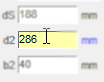
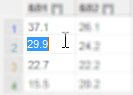
Value input in •Edit controls and •String grids is not applied automatically, but by ► Pressing <Enter> ► Leaving the focused control by selecting another one by (behavior like in Microsoft Excel) |
 or
or
Miscellaneous
•Position and size of dialogs are saved to restore it in the same way when they are called again.