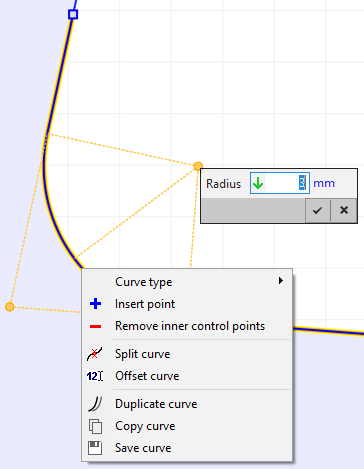
Context menu
Options of the context menu for the graphical object of a Line/Arc Segments curve are listed below:
|
Curve•Insert point: Inserts a new control point. •Remove inner control points: Removes all inner control points of the control polygon so that Line/Arc Segments curve reduces to a line. •Split curve: Subdivides the Line/Arc Segments curve into two curves while trying to keep the shape of the original curve. •Offset curve: Applies an offset to the curve underneath. •Duplicate/ Copy/ Save curve: These general features are described in the topic Graphical dialogs. Circle center•Edit edge radius directly. |