11.16.3 Simulation
This section explain the settings to run the Broadband model which is a steady simulation.
Broadband Model (Steady) Simulation Settings
- Select Fan in the Model Panel.
- Select Simulation Method to Steady (Multiple Reference Frame) in the Model Tab of Properties Panel.
- Click Simulation Panel.
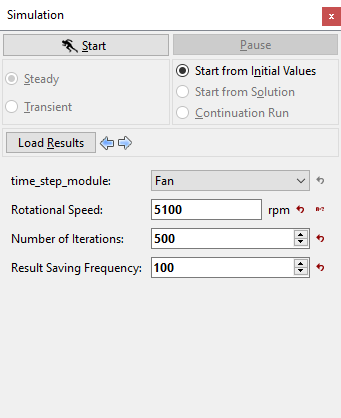
- Enter Number of Iterations as 500 and Result Saving Frequency as 100 (see, Figure 11.375).
- Save the project file as "acoustics_propeller_model_steady.spro" and click Start to run the simulation.
- The result files are saved as .sres in the working folder (Example: "acoustics_propeller_model_steady.sres"). This file is overwritten depending on the Result Saving Frequency.
The residuals for the Steady-state simulation are displayed under the Residual Tab in the Plot Panel as shown in Figure 11.376.
|
|
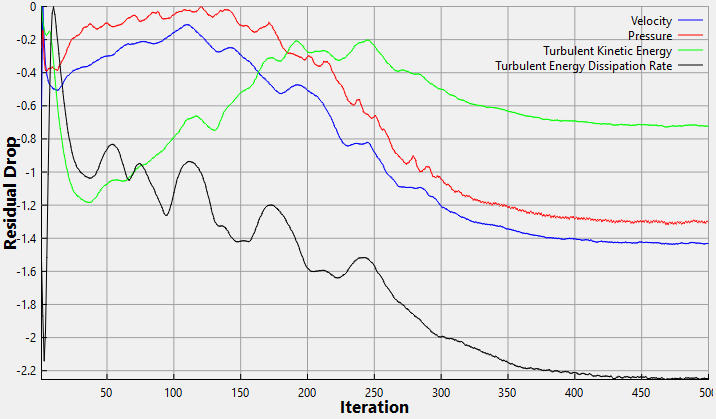
| ´ | Note: The default Converge Criterion is 0.001 for Steady-state simulations. A Steady-state simulation runs until the residual for each variable drops by 3 orders or until the maximum Number of Iterationsare reached. |