|
You are here: Automotive Templates and Tutorials > Automotive Tutorials > Piston Cooling Tutorial > Contours
|
Contours
The most common contours for the piston cooling simulation are the volume fraction and the temperature contours across the domain:
Fluid Model
The steps to create contours in fluid model are:
- Click Load Results in the Simulation Panel.
- Select the required result file in the ensuing Load Results dialog box, click Open.
Temperature contours on the volume
- Select gallery and piston_fluid under Volumes in the Geometric Entities Panel.
-
Select Temperature from the Variables list under Variable drop-down list in the Results Panel.
- Specify Min as 373 K and Max as 450 K in the Results Panel.
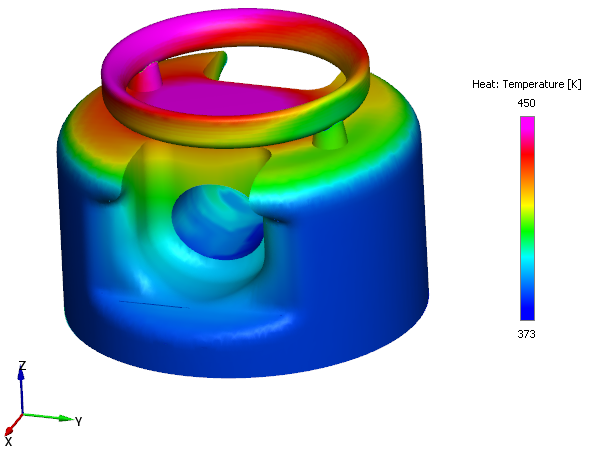
Figure 7.256 - Temperature Contours on the volume
Create a section
A section is created with the following steps.
- Click Create a Cross-Section
 icon in the Geometric Entities Panel. A new section Section 01 is created under Derived Surfaces.
 - Select the Section 01 under Derived Surfaces and specify the Type and Position as Plane X and -0.124 m in the Geometry Tab of Properties Panel.
Volume Fraction Contours
- Select Section 01 under Derived Variables in the Geometric Entities Panel.
-
Select Volume Fraction: Component oil under Variables list for the Variable drop-down list in the Results Panel.
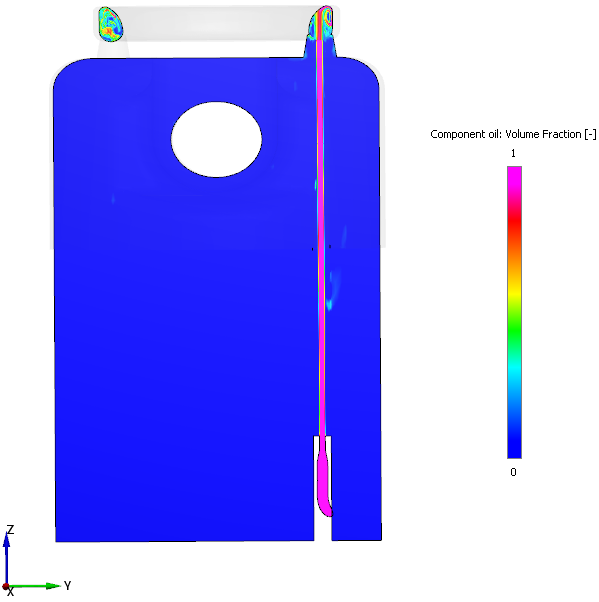
Figure 7.257 - Volume Fraction Contours
Solid Model
The steps to create contours in solid model are:
- Click Load Results in the Simulation Panel.
- Select the result file piston_solid.sres in the ensuing Load Results dialog box, click Open.
Temperature contours on the volume
- Select Volumes in the Geometric Entities Panel.
-
Select Temperature from the Variables list under Variable drop-down list in the Results Panel.
- Specify Min as 383 K and Max as 477 K in the Results Panel.
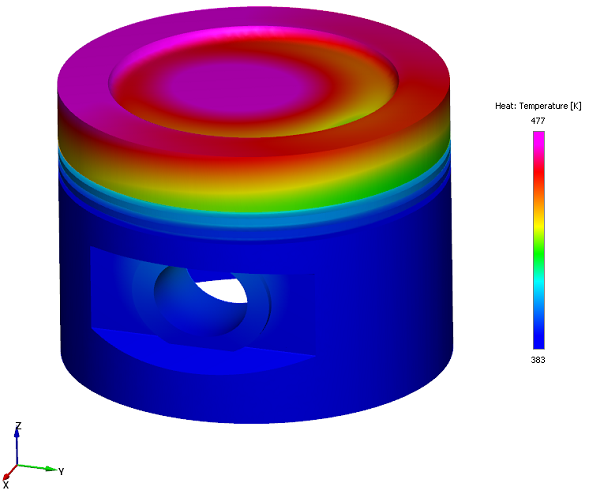
Figure 7.258 - Temperature Contours on the volume
Create a section
A section is created with the following steps.
- Click Create a Cross-Section icon in the Geometric Entities Panel. A new section Section 01 is created under Derived Surfaces.
- Select the Section 01 under Derived Surfaces and specify the Type and Position as Plane X and -0.135 m in the Geometry Tab of Properties Panel.
Temperature Contours
- Select Section 01 under Derived Variables in the Geometric Entities Panel.
-
Select Temperature under Variables list for the Variable drop-down list in the Results Panel.
- Specify Min as 383 K and Max as 476 K in the Results Panel.
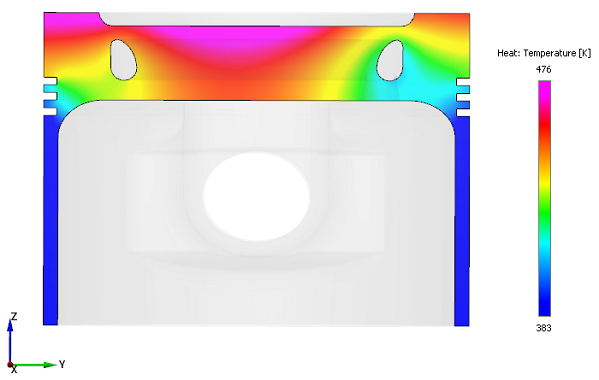
Figure 7.259 - Temperature Contours