13.1 Invoking the Expression Editor
The Expression Editor can be invoked in one of the following ways:
- Click the Expression Editor
 in the , as shown in Figure 13.1. The Expression Editor dialog box opens . This site invokes the Expression Editor for only the Global Expressions.
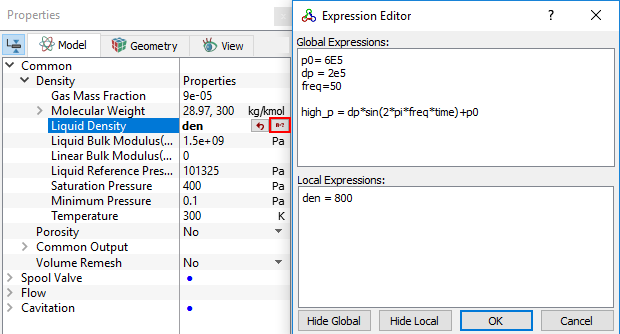
 - The Expression Editor is also available in the far right of the entry field area for most of the input parameters (for example, see Figure 13.2). To invoke it:
- Click in the entry field for variables in the Properties Panel > Model Tab.
- Enter the required expressions under Global Expressions or Local Expressions in the Expression Editor dialog box (see, Figure 13.2).
- Click