|
You are here: Fluid Machinery Templates and Tutorials > Centrifugal Pump > Centrifugal Pump Tutorials > Contours
|
Contours
The most common contours for the centrifugal pump simulation are the pressure and the velocity contours across the domain. The steps to create contours are:
- Click Load Results in the Simulation Panel.
- Select the required result file in the ensuing Load Results dialog box, click Open.
Create a section
A section is created with the following steps.
- Click Create a Cross-Section
 icon in the Geometric Entities Panel. A new section Section 01 is created under Derived Surfaces.
 - Select Section 01 under Derived Surfaces and specify the Type and Position as Plane Y and 0.002475 m in the Geometry Tab of Properties Panel.
Pressure Contours
- Select Volumes in the Geometric Entities Panel.
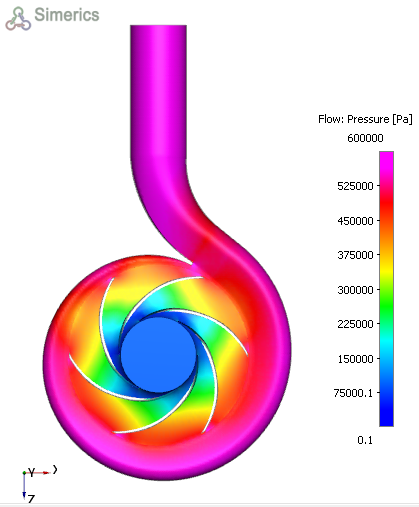
- Select Pressure from the Derived Variables list under Variable drop-down list in the Results Panel (see, Figure 6.34). For variables and legends refer, Post-Processing.
Velocity Contours and vectors
- Select Section 01 under Derived Variables in the Geometric Entities Panel.
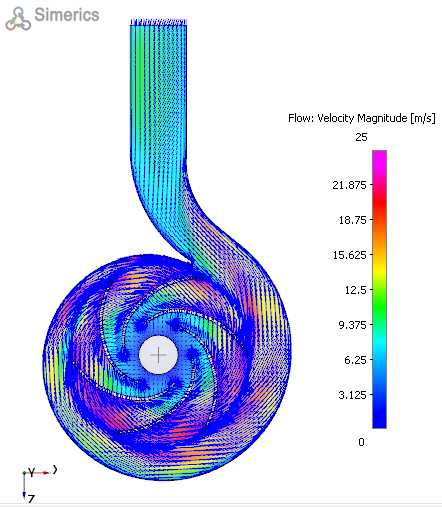
- Select Velocity Magnitude from the Derived Variables list under the Variable drop-down list in the Results Panel.
- Enable the Vectors option in the Results Panel to view the velocity vectors inside the domain (see, Figure 6.35).
- Select Projection as Yes under View Tab of Properties Panel.
| ´ | Note: The same steps can be used to obtain contours for all the variables under the Variable option in the Results Panel. Changes to the display, such as legend, contour color, image sizing, transparency can be made under the View Tab of Properties Panel. |
|
|
|