中文 English

Computational domain

This section describes the steps involved in the preparation of surfaces to create the domain. This is done with the operations- splitting, combining and renaming of the surfaces.

Pump Surfaces
  1. Select Split/Combine Geometry or Grid in the Mesh Panel.
  2. Select CAD Surfacepump in the Geometric Entities Panel.
  3. Select Split Disconnected from the Operation drop-down list in the Properties Panel, click Split Disconnected.
  4. Rename the three new CAD Surfaces pump_01, pump_02 and pump_03 as volute, rotor and inlet respectively in the Geometric Entities Panel.
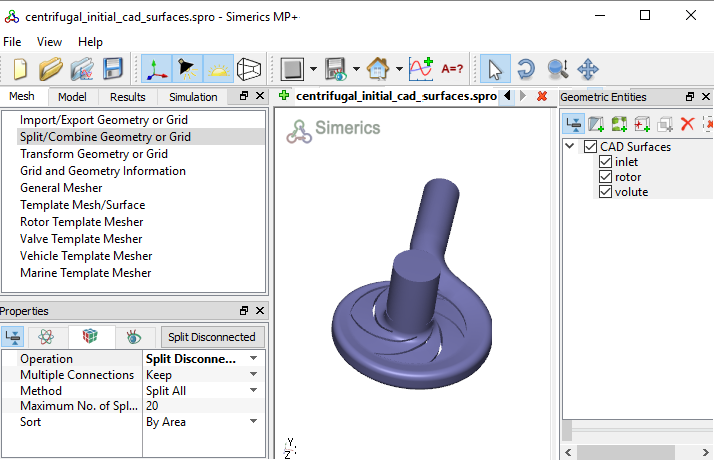
    Figure 6.12 - Split of CAD surfaces

Inlet Surfaces
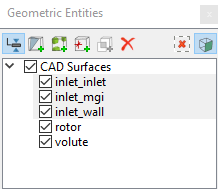
  1. Select CAD Surfaces inlet in the Geometric Entities Panel.
  2. Select Split by Angle from the Operation drop-down list in the Properties Panel.
  3. Enter 75 deg for Angle, click Split by Angle.Three new CAD Surfaces are created.
  4. Rename CAD Surfaces inlet_01, inlet_02 and inlet_03 as inlet_wall, inlet_mgi and inlet_inlet respectively in the Geometric Entities Panel.
 

Figure 6.13 - Inlet surfaces


Rotor Surfaces
  1. Select CAD Surfaces rotor in the Geometric Entities Panel.
  2. Select Split by Angle from the Operation drop-down list in the Properties Panel.
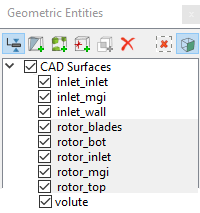
  3. Enter 30 deg for Angle, click Split by Angle. Twenty new CAD Surfaces are created in the Geometric Entities Panel.
  4. Rename CAD Surfacesrotor_01, rotor_02, rotor_03 and rotor_10 as rotor_top, rotor_bot, rotor_mgi and rotor_inlet respectively.
  5. Select the remaining CAD Surfaces, select Combine from the Operation drop-down list in the Properties Panel, click Combine.
  6. Rename the combined CAD Surfaces as rotor_blades.
 

Figure 6.14 - Rotor surfaces


Volute Surfaces
  1. Select CAD Surfaces volute in the Geometric Entities Panel.
  2. Select Split by Angle from the Operation drop-down list in the Properties Panel.
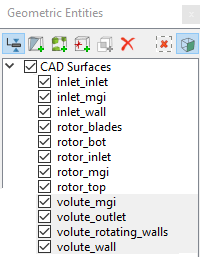
  3. Enter 85 deg for Angle, click Split by Angle. Seven new CAD Surfaces are created in the Geometric Entities Panel.
  4. Rename CAD Surfaces volute_01, volute_02 and volute_05 as volute_wall, volute_mgi and volute_outlet respectively.
  5. Select the remaining CAD Surfaces, select Combine from the Operation drop-down list in the Properties Panel, click Combine.
  6. Rename the combined CAD Surfaces as volute_rotating_walls.
 

Figure 6.15 - Volute surfaces

´ Note:  Splitting of the surfaces can also be done by mouse selection using the Split by Mouse option from the Method drop-down list in the Geometry Tab of Properties Panel.


Copyright © 2023 Simerics Inc.,