|
You are here: Fluid Machinery Templates and Tutorials > Gerotor Pump > Gerotor Pump Tutorial > Computational domain
|
Computational domain
This section explains the preparation of surfaces to create the domain. This is done with the operations splitting, combining and renaming of the surfaces.
Pump Surfaces
- Select Split/Combine Geometry or Grid in the Mesh Panel.
- Select CAD Surfaces gerotor in the Geometric Entities Panel.
- Select Split Disconnected from the Operation drop-down list in the Properties Panel, click Split Disconnected.
-
Rename the four new CAD Surfaces gerotor_1, gerotor_2, gerotor_3 and gerotor_4 as inlet, outlet, rotor and groove respectively in the Geometric Entities Panel.
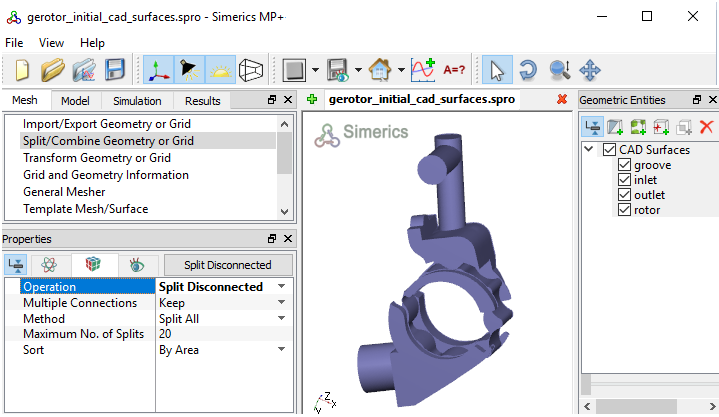
Figure 6.104 - Split of CAD surfaces
Inlet Surfaces
|
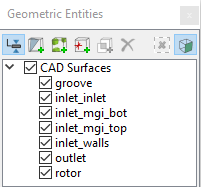
Figure 6.105 - Inlet surfaces |
Rotor Surfaces
|
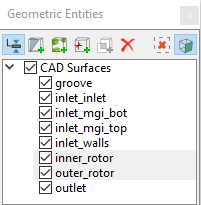
Figure 6.106 - Rotor surfaces |
 icon to delete surfaces.
Outlet Surfaces
|
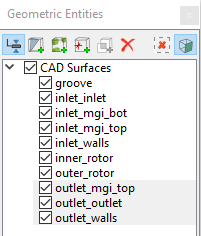
Figure 6.107 - Outlet surfaces |
Groove Surfaces
|
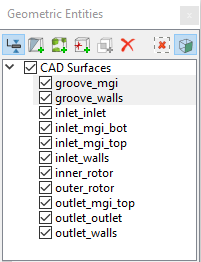
Figure 6.108 - Groove surfaces |
| ´ | Note: Splitting of the surfaces can also be done by mouse selection using the Split by Mouse option from the Method drop-down list in the Geometry Tab of Properties Panel. |