|
You are here: Fluid Machinery Templates and Tutorials > Swash Plate Piston Pump > Swash Plate Piston Pump Tutorial > Simulation
|
Simulation
This section explains the settings to run the swash plate piston pump simulation.
Creating Monitoring Points
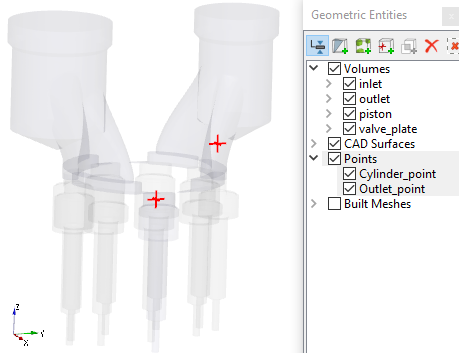
In swash plate piston pump simulations, monitoring points are created at the at the outlet and one of the cylinder pockets. The steps to create the monitoring points are as follows:
- On the Geometric Entities Panel toolbar, click twice Create a Monitoring Point
 icon, to create Points Point 01 and Point 02.
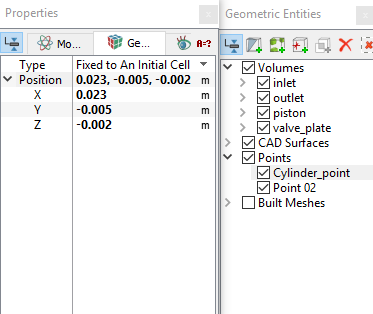
 - Rename the Points and specify their Position values as shown in Table 6.21 in the Geometry Tab of Properties Panel (see, Table 6.21).
| Points | Rename as | Position values |
|---|---|---|
| Point 01 | Cylinder_point | 0.023, -0.005, -0.002 |
| Point 02 | Outlet_point | 0, 0.025, 0.01 |
Table 6.21 - Rename monitoring points
| ´ | Note: Monitoring points need to be created before running the simulation for recording data (see, Figure 6.441.). The position of a Points may also be dragged to a new location using the Select icon in Toolbar and the Left Mouse Button. icon in Toolbar and the Left Mouse Button. |
Simulation Settings
- Click Simulation Panel.
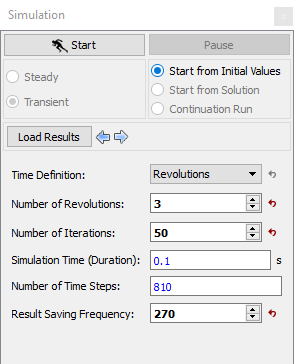
- Define Number of Iterations and Result Saving Frequency to 50 and 270. The Number of Revolutions, Simulation Time (Duration) and the Number of Time Steps are automatically preset by the Swash Plate Piston module (see, Figure 6.442).
- After you save the project, click Start to run the simulation.
- The result files are saved as .sres in the working folder (Example : "swashplate_270.sres"). The number of result files depends on the Result Saving Frequency.
| Note: The Result Saving Frequency option in the Simulation Panel is set to a small value (say 5 or 10) before running the simulation to obtain better animations. |
The residuals are displayed under the Residual Tab in the Plot Panel (see, Figure 6.443).
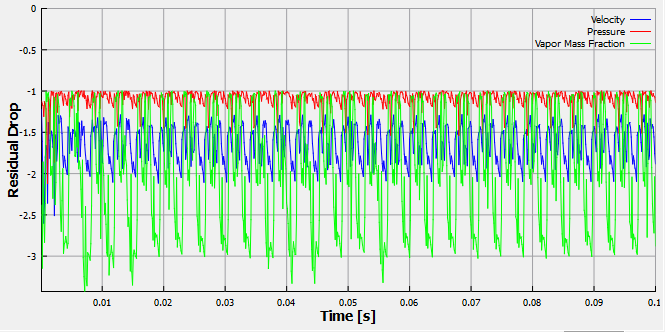
| Note: The default Converge Criterion is 0.1 for Transient simulations. When the residuals for all the variables drop by one order or the maximum Number of Iterations is reached, the calculation proceeds to the next time-step. |