|
You are here: Fluid Machinery Templates and Tutorials > Translational Valve > Spool Valve Tutorial > Animations
|
Animations
Animations are created from saved .res files, The Result Saving Frequency option in the Simulation Panel is set to a small value (say 5 or 10) before running the simulation to obtain better animations. The steps to create an animation are shown below:
Pressure distribution
- Select Section 01 under Derived Surfaces in the Geometric Entities Panel.
-
Select Pressure under Variables for the Variable drop-down list in the Results Panel.
- Select CAD Surfaces solid-casing_half.
-
Select User Input from the Transparency drop-down list in the View Tab of Properties Panel. Enter Opaque Value (0-1) as 0.2.
-
Select File > Save Animation, to save animation.
-
Select the result files for animation data in the Select Result Files dialog box.
- Under File name, give a suitable name for the .gif animation in the Select GIF File for Movie, PNG File for Frames dialog box.
| ´ | Note: To obtain velocity distribution the steps are same as pressure distribution except, select Section 01 under Derived Surfaces in the Geometric Entities Panel and select Velocity Magnitude for Derived Variables list under Variable drop-down list in the Results Panel. |
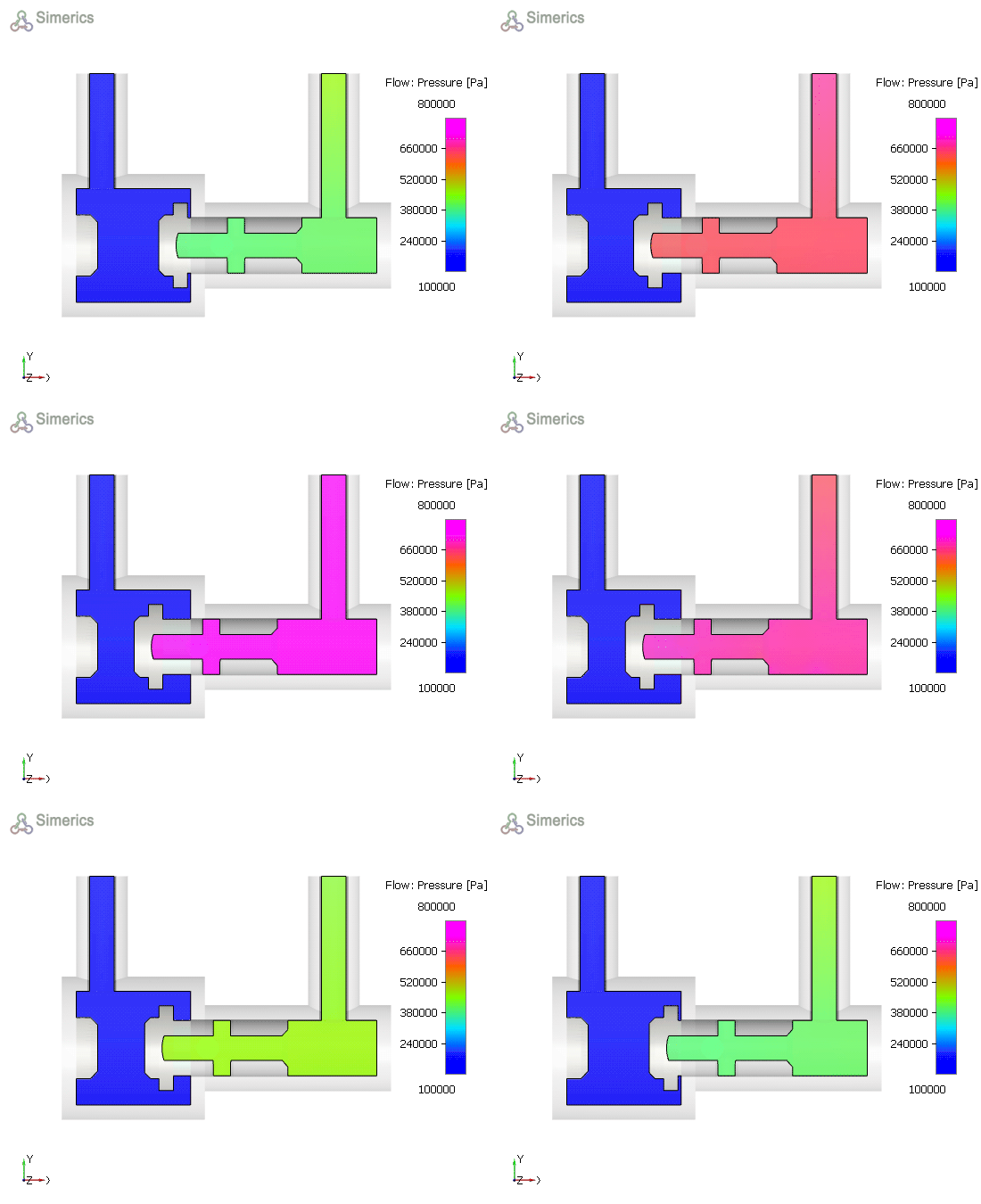
Figure 6.557 - Pressure distribution in a spool valve |
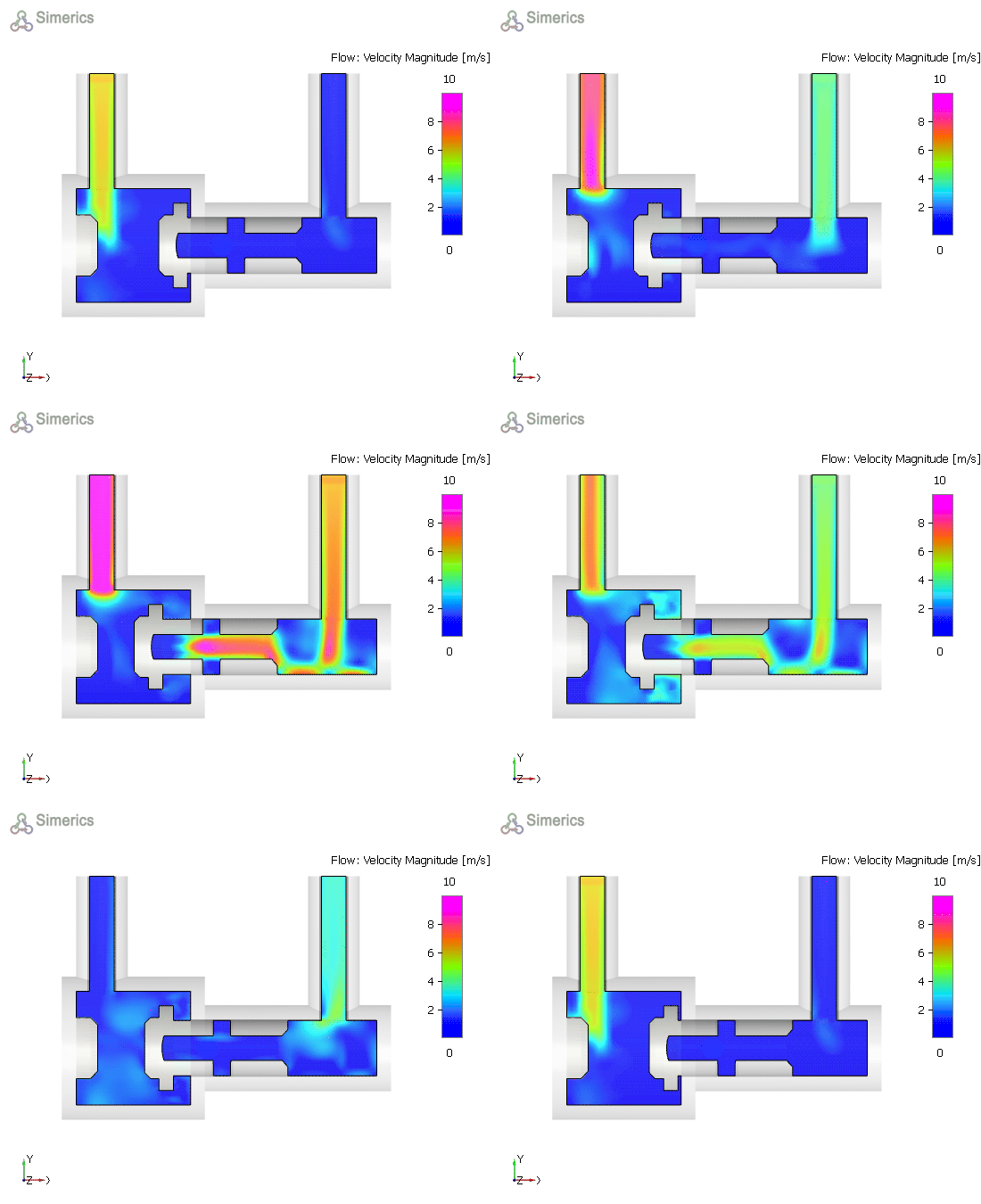
Figure 6.558 - Velocity distribution in a spool valve |