|
You are here: Additional Templates and Tutorials > GT-SUITE Coupling Module and Tutorial > Boundary and Interface settings
|
10.3.3 Boundary and Interface settings
The interfaces that connect the 3D CFD simulation to the upstream and downstream components of the 1D simulation serve as the boundary conditions to the 3D CFD simulation. Hence, these interfaces must be identified in GT-SUITE and linked appropriately to the corresponding boundaries of the 3D CFD simulation.
To carry out the linking of these boundaries, the respective boundary is selected in the Geometric Entities Panel and the appropriate GT coupled inlet/outlet boundary condition is specified under the GT Coupling module.
InletTo link the Inlet interface to the corresponding boundary in Simerics-MP+.
There are four types of GT interfaces, as shown in Figure 10.88.
For all four types of inlet boundaries, in the case Multiphase and Multicomponent Mixing simulations, Simerics-MP+ receives the fluid composition (volume fraction of each component) from GT-SUITE. In case of reverse flow, Simerics-MP+ passes the fluid composition to GT-SUITE. |
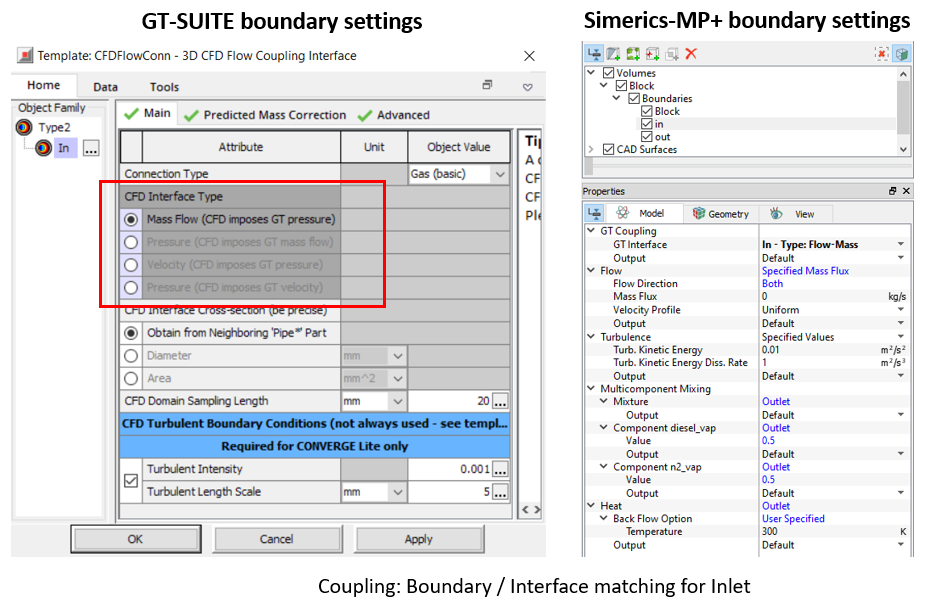
This interface type defines whether GT-SUITE or Simerics-MP+ would solve the momentum equation at the coupling interface.
The interface type is set in the GT-SUITE model and cannot be modified in Simerics-MP+. Once an interface is matched, the conditions for all modules, such as Flow, Multicomponent Mixing, Heat are set automatically based on the interface type.
OutletTo link the Outlet interface to the corresponding boundary in GT-SUITE.
The types of interface are the same as the inlet boundary. The same four types of GT-SUITE interfaces are available as follows, as shown in Figure 10.89.
|
For all four types of outlet boundaries in the case Multiphase and Multicomponent Mixing simulations, Simerics-MP+ passes the fluid composition (volume fraction of each component) to GT-SUITE. In case of reverse flow, Simerics-MP+ receives the fluid composition from GT-SUITE.
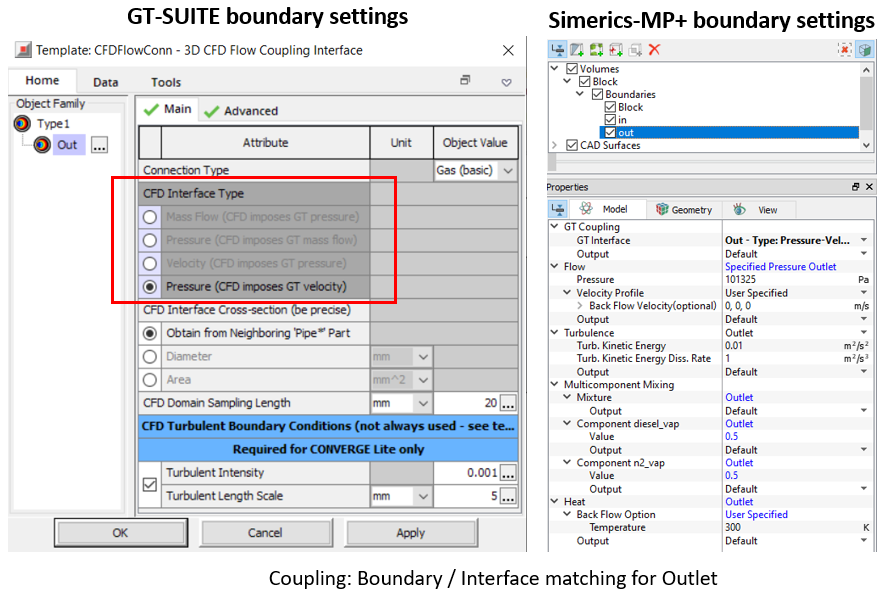
This interface type defines whether GT-SUITE or Simerics-MP+ would solve the momentum equation at the coupling interface.
The interface type is set in the GT-SUITE model and cannot be modified in Simerics-MP+. Once an interface is matched, the conditions for all modules, such as Flow, Multicomponent Mixing, Heat are set automatically based on the interface type.