11.11.3 Simulation
This section explains the settings to run the cavitation over a sharp-edged orifice simulation.
Steady Simulation Settings
|

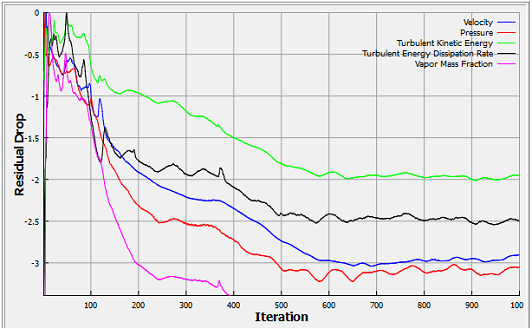
The residuals for the Steady-state simulation are displayed under the Residual Tab in the Plot Panel as shown in Figure 11.249).
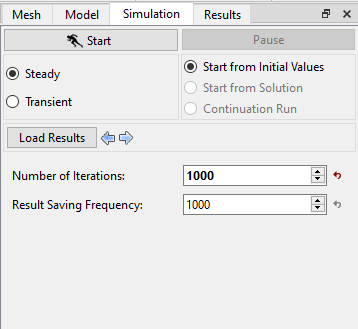
| Note: For a Steady State Simulation, the result file is saved as .sres in the working folder and the same file gets overwritten at regular intervals specified by the Result Saving Frequency parameter. The final result file is written at the end of all iteration or when the solution converges. |
| Note: The default Converge Criterion is 0.001 for Steady Simulation. When the residuals for all the variables drop by three orders or the maximum Number of Iterations reached, the calculation stops. |