11.3.3 Simulation
This section explains the settings to run the EGR cooler simulation
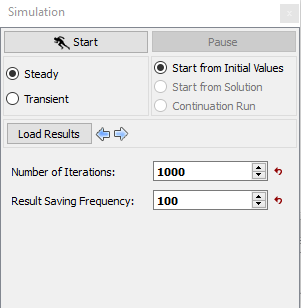
- Select Simulation Panel and enable Steady.
- Enter Number of Iterations as 1000 and Result Saving Frequency as 100 .
- Select Start from Initial Values to start from initial run.
- After you save the project, click Start to run the simulation.
- The result files are saved as .sres in the working folder (Example : "projectname_1000.sres").
| Note: The Result Saving Frequency option in the Simulation Panel is set to a small value (say 5 or 10) before running the simulation to obtain better animations. |
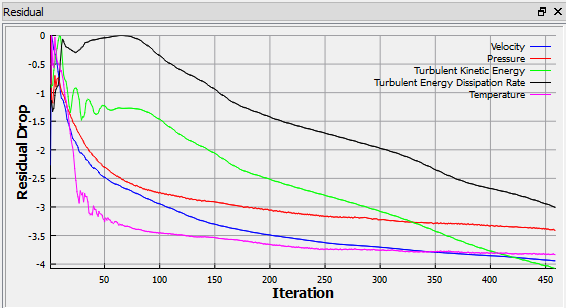
| Note: The default Converge Criterion is 0.001 for Steady Simulation. When the residuals for all the variables drop by three orders or the maximum Number of Iterations reached, the calculation stops. |