11.8.3 Simulation
This section explains the settings to run the steady state simulation.
Solver Settings
- Select Flow in the Model Panel.
- Select 2nd Order Upwind for Velocity in the Numeric Scheme expanded list of the Properties Panel.
This section explains the settings to run the simulation.
- Select Simulation Panel and enable Steady.
- Select Start from Initial Values to start from initial run.
- After you save the project, click Start to run the simulation.
- The result file is saved as a .sres file in the working folder (Example : "projectname.sres"). This file is overwritten depending on the Result Saving Frequency.
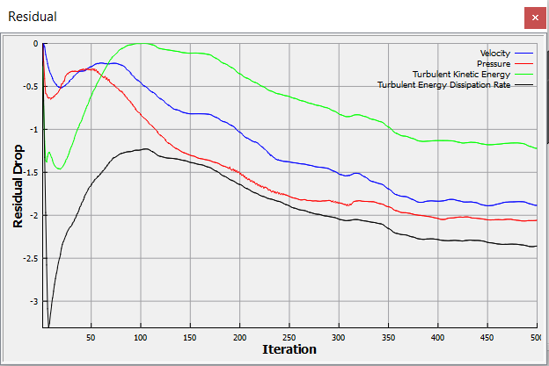
Figure 11.192 - Residual plot