Simulation
|
This section explains the settings to start/ run the simulation.
|
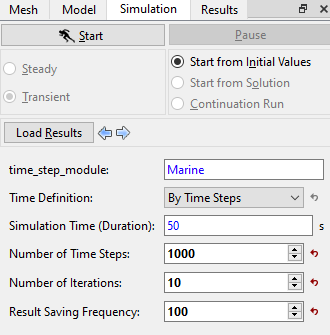
| ´ | Note: The Result Saving Frequency option in the Simulation Panel is set to a small value (say 5 or 10) before running the simulation to obtain better animations. |
|
This section explains the settings to start/ run the simulation.
|
| ´ | Note: The Result Saving Frequency option in the Simulation Panel is set to a small value (say 5 or 10) before running the simulation to obtain better animations. |
|
|
Copyright © 2023 Simerics Inc., |