5.13.2 Boundary/ Volume Conditions
The source can be specified to a volume, or a boundary as follows.
- Click desired Volume/Boundary in the Geometric Entities Panel.
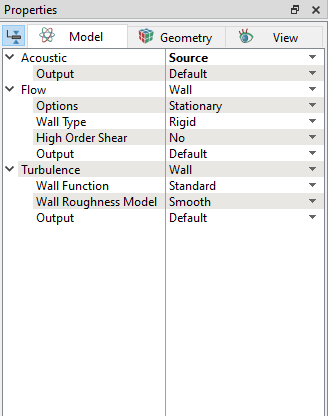
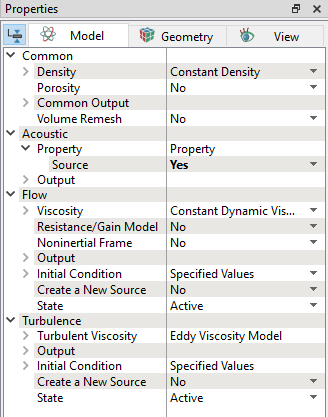
- Specify Yes to the Source under the Acoustic dropdown in the Properties Panel, as shown in Figure 5.286 and Figure 5.287.
|
|