|
You are here: Tutorials > Propeller Acoustics > Setting up the Ffowcs-Williams Hawkings (FWH) Acoustic model > Defining Physics and Conditions
|
Defining Physics and Conditions
The physics and conditions are specified as follows:
a) Changing the Acoustic Module
|
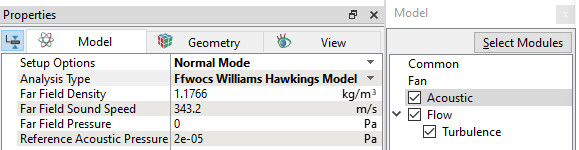
Figure 11.378 - Selecting FWH model |
Boundary conditions
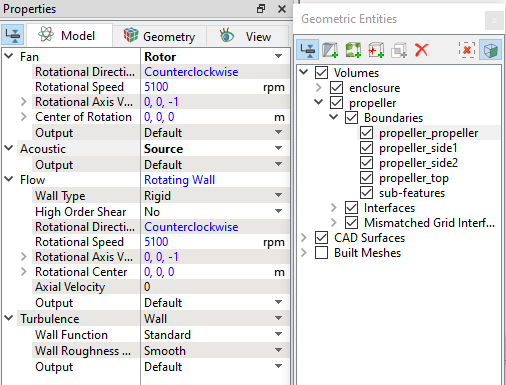
The boundary conditions are specified as follows:
| ´ | Note: Save the project file as acoustics_propeller_model_unsteady.spro. |