|
You are here: Automotive Templates and Tutorials > Automotive Tutorials > Dual Heat Exchanger Tutorial > Simulation
|
Simulation
This section explains the settings to run the dual heat exchanger simulation.
Steady state simulation - Specified inlet temperature
This section explains the settings to run the dual heat exchanger simulation for specified inlet temperature case.
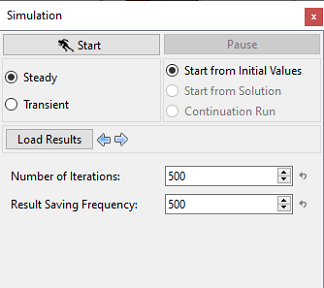
- Select Simulation Panel, verify that the Number of Iterations as 500 and Result Saving Frequency as 500 respectively (see, Figure 7.327).
- After you save the project, click Start to run the simulation.
- The result files are saved as .sres in the working folder (Example : "dual_hx_model_inlet_temp.sres"). This file is overwritten depending on the Result Saving Frequency.
The residuals of Steady State Simulation for the specified inlet temperature model are displayed under the Residual Tab in the Plot Panel (see, Figure 7.328).
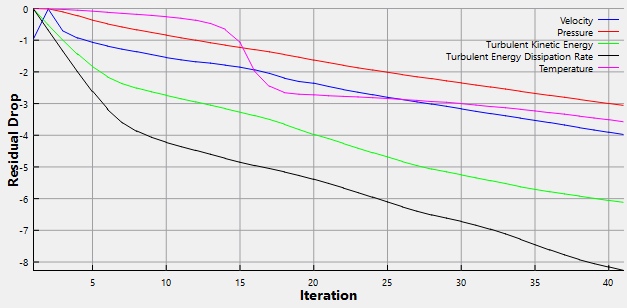
| Note: The default Converge Criterion is 0.001 for steady state simulations. A steady state simulation runs until the residual for each variable drops by 3 orders or until the maximum Number of Iterations is reached, at which time a results file will be saved as: “filename.sres. |
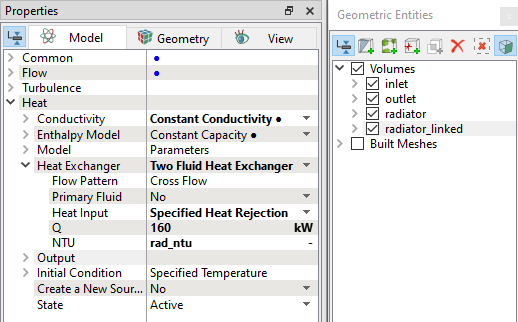
Specified heat rejection case settings
This section explains the simulation settings for the heat rejection case.
Steady state simulation - Specified heat rejection
This section explains the settings to run the dual heat exchanger simulation for specified heat rejection case.
- Select Simulation Panel, verify that the Number of Iterations is 500.
- Verify that the Result Saving Frequency is 500 (see, Figure 7.330).
- After you save the project, click Start to run the simulation.
- The result files are saved as .sres in the working folder (Example : "dual_hx_model_heat_rej.sres"). This file is overwritten depending on the Result Saving Frequency.
| ´ | Note: Ensure to save the specified heat rejection case with a different file name. |
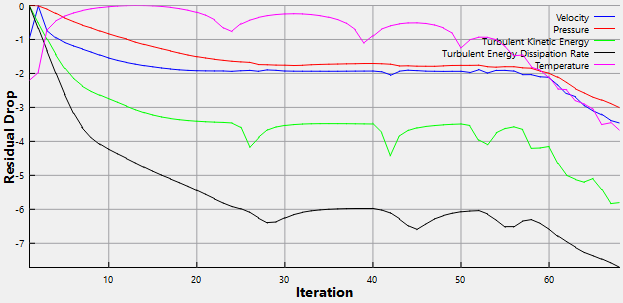
The residuals of Steady State Simulation are displayed under the Residual Tab in the Plot Panel (see, Figure 7.331).