|
You are here: Additional Templates and Tutorials > Data Exchange Module and Tutorial > Data Exchange Module Tutorial > Coupled CHT Simulation
|
Coupled CHT Simulation
This section explains the settings to run the coupled heat transfer simulation. Transient approach is used to solve fluid and steady state approach is used to solve solid model.
Fluid CHT Simulation settings
- Open fluid.spro project file. Click Simulation Panel.
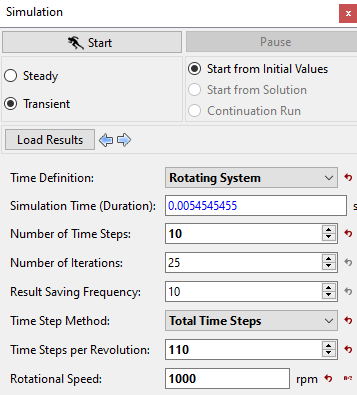
- Enter Time Definition as Rotating System and Time Step Method as Revolutions under Simulation Panel.
- Enter Number of Revolutions, Time Steps Per Revolution and Rotational Speed as 1, 110 and 1000 rpm respectively (see, Figure 10.37).
- Ensure Result Saving Frequency as 110.
- Save the project as fluid.spro.
| ´ | Note: The Result Saving Frequency option in the Simulation Panel is set to a small value (say 5 or 10) before running the simulation to obtain better animations. |
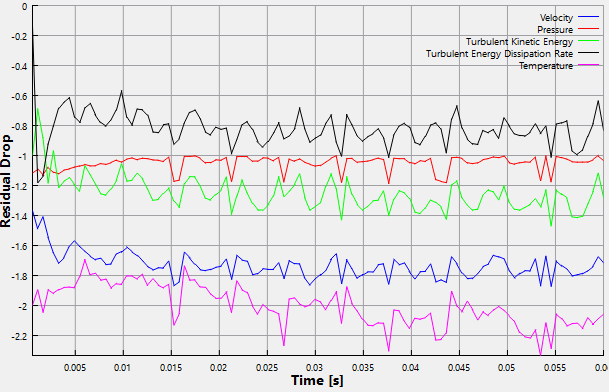
The residuals are displayed under the Residual Tab in the Plot Panel as shown in Figure 10.38.
|
|
Solid CHT Simulation settings
- Open solid.spro project file. Click Simulation Panel.
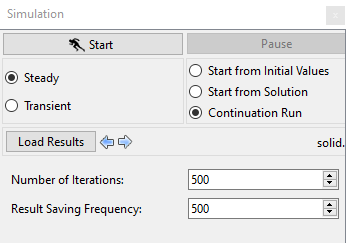
- Select Steady under Simulation Panel.
- Enter Number of Iterations and Result Saving Frequency as 500 and 500 respectively (see, Figure 10.39).
- Save the project as solid.spro,
| Note: The Result Saving Frequency option in the Simulation Panel is set to a small value (say 5 or 10) before running the simulation to obtain better animations. |
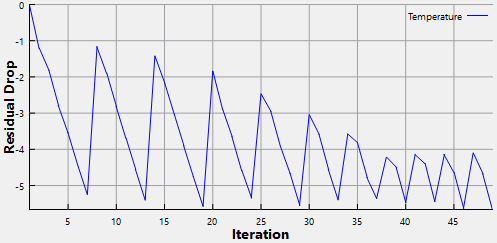
The residuals are displayed under the Residual Tab in the Plot Panel as shown in Figure 10.40.
|
|
Creation of dummy temperature text file
User needs to create dummy temperature text file to start the fluid side coupling simulation for the first time. This file is the output from the solid side simulation. As user start the fluid side simulation first, the file from the solid side is not available. After the first solid coupling simulation, this text file is overwritten.
- Copy the solid_mixscaleheat_couple_temperature into the working directory from the tutorial folder.
- Ensure the text file start with file name of solid model. In this tutorial, it is solid.spro.
Coupled Run using Batch command
The fluid model (emotor_cht_fluid_model.spro) and the solid model (emotor_cht_solid_model.spro) run in a coupled manner using a batch run command. The procedure for running using batch commands is as follows:
- Create batchfile.txt in the project folder and copy the following lines under Description drop-down.
- In windows system, run by specifying “simerics_path” -batch batchfile.txt”.
- In linux cluster, run by specifying “srun simerics_path -batch batchfile.txt”.
 Description
system echo Reading fluid
open fluid fluid.spro
system echo Reading solid
open solid solid.spro
exec 11 fluid solid