中文 English
You are here: Fluid Machinery Templates and Tutorials > Centrifugal Pump > Turbo Postprocessor module > Turbo Postprocessor Module Parameters

Turbo Postprocessor Module Parameters

This section explains the settings for the turbo postprocessor module.

  1. Click Turbo Postprocessor in the Model Panel.
  2. The following conditions and parameters are available in the Properties Panel.


Center

Rotor centre is the centre of rotation about which a rotor is rotated. It is same as rotor centre defined in the pump module, as shown in the Figure 6.54.


Rotational Axis Vector

Rotational axis vector is the rotational axis about which the object rotates. It is same as rotate axis defined in the pump module.


Rotational Direction

The direction of rotation is specified as Clockwise or Counterclockwise relative to a Rotational Axis Vector.


Rotational Speed

Denotes the speed of rotation.


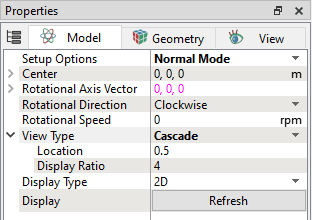
Figure 6.54 - Turbo Postprocessor module parameters

View Type

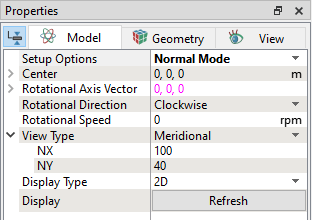
This allows to choose the plot type as meridional, or cascade as explained below.

Meridional

The meridional planes describe the curves of the hub and shroud. The parameters required to plot are explained below.

  • NX: Number of cells in radial direction.
  • NY: Number of cells in axial direction.
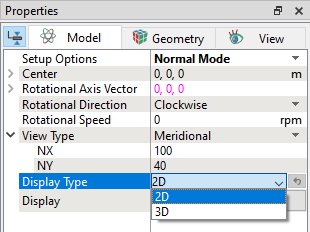
  • Display Type – Allows to choose two options 2D or 3D as shown in the Figure 6.55. This parameter determines plot location in the display window.

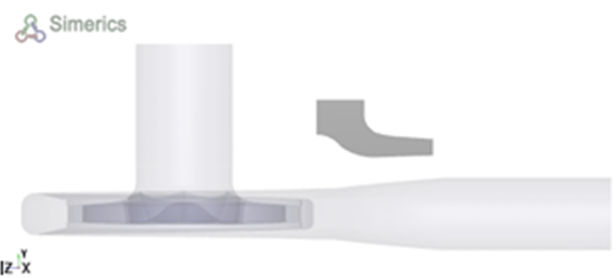
      • 2D: This option allows to plot meridional plane as a separate plot with respect to domain as shown in the Figure 6.56.

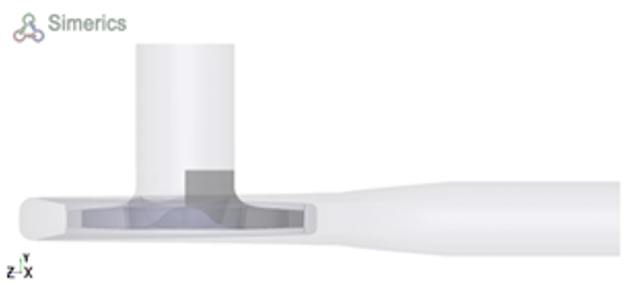
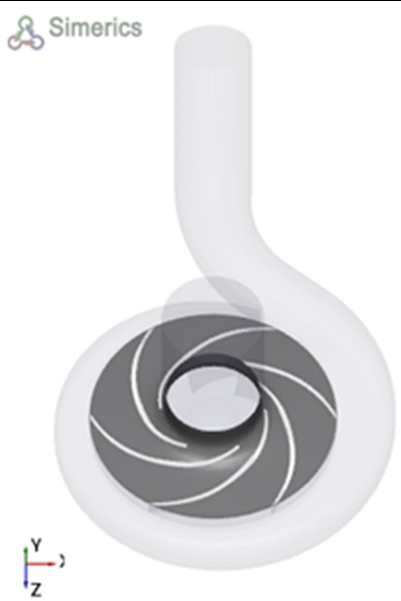
      • 3D: This option allows to plot plane inside the domain as shown in the Figure 6.57.

  • Display – Every time, click Refresh to reflect the results on the display window.


Figure 6.55 - View Type - Meridional


Figure 6.56 - Display Type – 2D


Figure 6.57 - Display Type – 3D


Cascade (Blade-to-Blade)

The cascade planes describe the shape and size of the blades. The parameters required to plot are explained below.

  • Location – Surface position defined based on lower and upper surface. Allows to specify values between the limits 0.1 to 0.99. If 0.95 is chosen, surface position will be close to the upper surface as shown in the Figure 6.59.

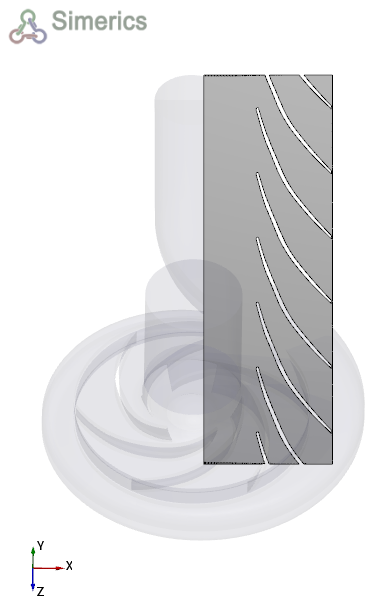
  • Display Ratio – Length to width ratio for the 2D plot as shown in the Figure 6.60. Allows to specify values between the limits 0.2 to 19.

  • Display Type – Allows to choose two options 2D or 3D.

  • Display – Every time, click Refresh to reflect the results on the display window.


Figure 6.58 - View Type Cascade


Figure 6.59 - Display Type – 3D and Location - 0.95


Figure 6.60 - Display Type – 2D and
Location - 0.5 and Display Ratio - 3


Copyright © 2023 Simerics Inc.,