|
You are here: Fluid Machinery Templates and Tutorials > Centrifugal Pump > Turbo Postprocessor module
|
Turbo Postprocessor module
Turbo Postprocessor module in Simerics-MP/Simerics-MP+ is used for post-processing of turbomachinery applications, such as pumps, compressor and turbines in creating meridional and cascade plots.
In this section, the parameters and settings of Turbo Postprocessor module are discussed in detail.
To activate the Turbo Postprocessor module:
|
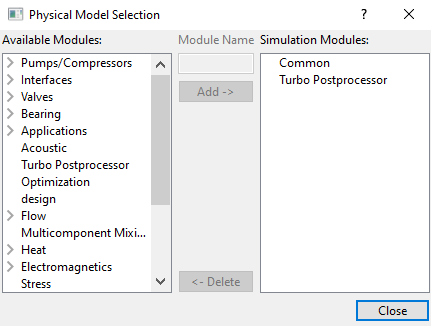
Figure 6.48 - Turbo Postprocessor module |
The Turbo Postprocessor module is explained as follows:
- Boundary conditions: Boundary conditions to be assigned in the Properties Panel.
- Turbo Postprocessor parameters: Parameters used in Turbo Postprocessor module.
- Display variables: Outputs from the Turbo Postprocessor module.
Pre-requisite steps
To create meridional/cascade plot for turbomachinery applications requires understanding of the geometry and the fluid domain enclosed by the surfaces. The pre-requisite steps to create plots are described here.
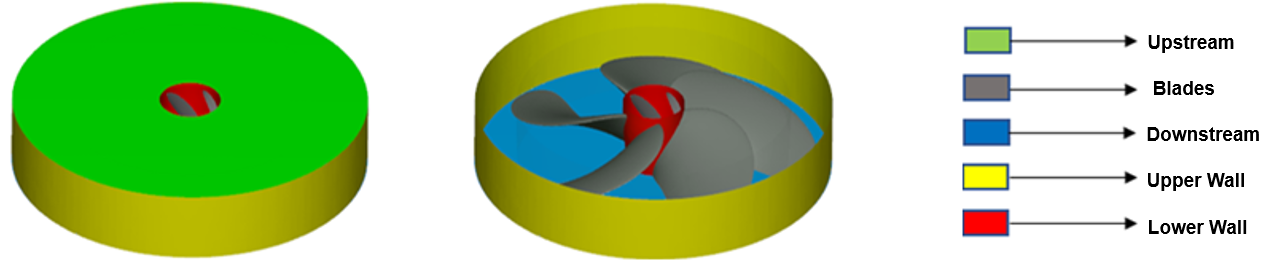
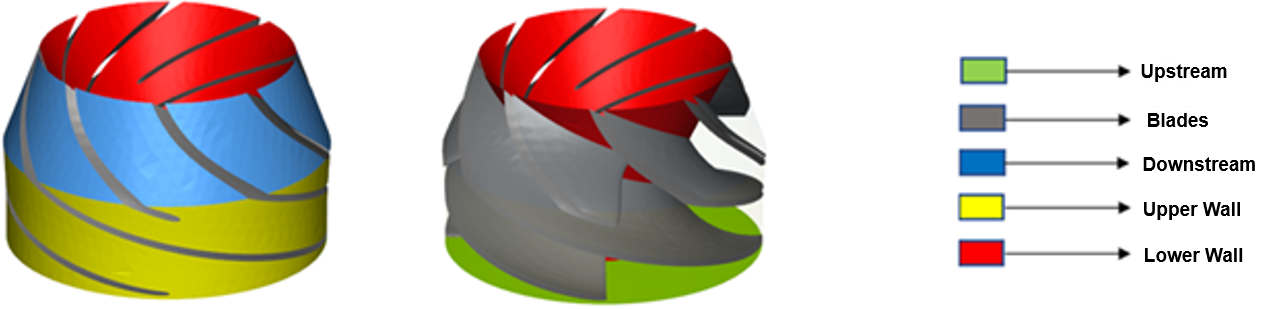
- For centrifugal rotor, split the rotor surfaces into multiple surfaces, such as blades, inlet, outlet, upper and lower before meshing is performed, as shown in Figure 6.49.
- For propeller, split the propeller surfaces into multiple surfaces, such as blades, inlet, outlet, upper and lower before meshing is performed as shown in Figure 6.50. Hub surface should be separated from propeller shaft and blades.
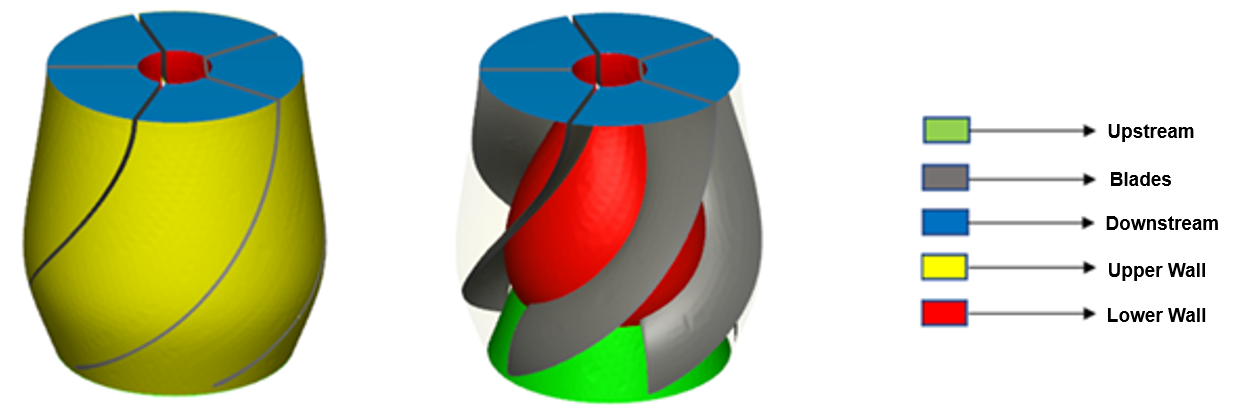
- For axial/vertical turbine pump, split rotor surfaces into multiple surfaces as shown in Figure 6.51. Similarly, split the stator surfaces into multiple surfaces as shown in Figure 6.52.
- Mesh resolution can have an impact on plots. Ensure mesh resolution is fine.
- Do not combine sub-features with boundaries, while meshing. Assign the turbopost boundary conditions for sub-features appropriately, by locating the surfaces that contains sub-features.