|
You are here: Automotive Templates and Tutorials > Automotive Tutorials > Planetary Gearbox Tutorial > Contours
|
Contours
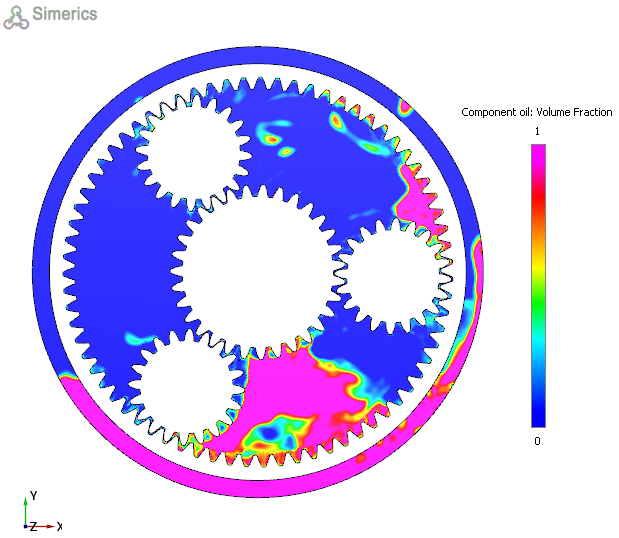
The most common contours for the planetary gearbox simulation are the volume fraction across the domain. The steps to create contours are:
- Click Load Results in the Simulation Panel.
- Select the required result file in the ensuing Load Results dialog box, click Open.
Volume Fraction contours
- Select Section01 (Z= -0.015371) in the Geometric Entities Panel.
- Select Volume Fraction: Component of oil from the Derived Variables list under Variable drop-down list in the Results Panel (see, Figure 7.214). For variables and legends refer, Post-Processing.
- Specify Min as 0 and Max as 1 in the Results Panel.
| ´ | Note: Changes to the display, such as legend, contour color, image sizing, transparency can be made under the View Tab of Properties Panel. |