|
You are here: Additional Templates and Tutorials > GT-SUITE Coupling Module and Tutorial > GT Coupling Tutorials > Running the co-simulation
|
Running the co-simulation
|
This section explains the settings to run the simulation. The steps to run the simulation are:
|
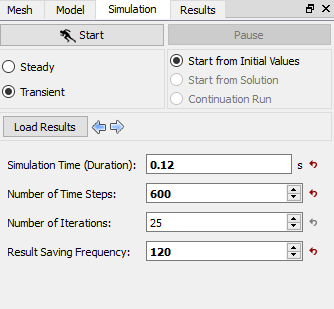
The CFD Simulation Time set in Simerics-MP+ of 0.12 s, as shown in Figure 10.130, is equal to the time taken for 5 cycles of revolution of the pump (at 2500 RPM).
When the simulation is started in Simerics-MP+, the GT-SUITE co-simulation starts running. The total simulation time specified for the co-simulation in GT-SUITE corresponds to 5 cycles of revolution of the pump (at 2500 RPM), which is equal to 0.12 s. The time before coupling with CFD is specified in GT-SUITE Time Definition, as the time taken for 1 cycle of revolution of the pump. Hence, the CFD simulation runs for a physical time of 0.096 s, equivalent to 4 cycles of revolution of the pump. When GT-SUITE simulation is finished, Simerics-MP+ simulation is also terminated, and a prompt to save the result file appears.
To view the residuals, select View> Toolbar> Residual from the Menu bar. The residuals for the simulation are shown below:
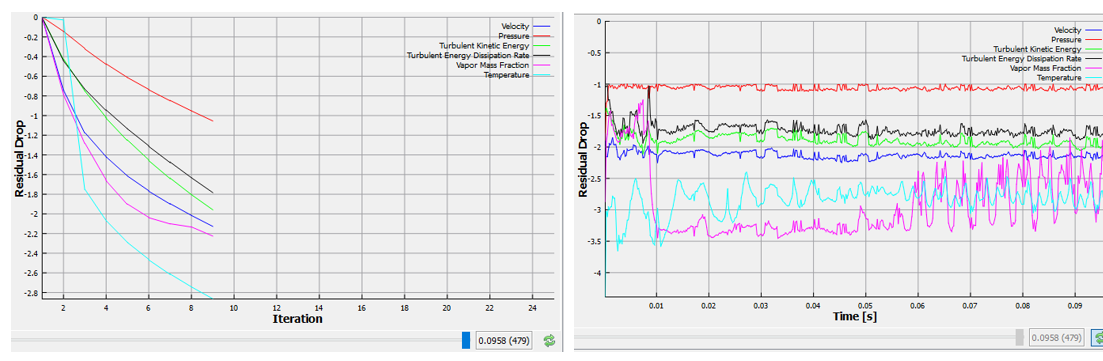
Figure 10.131 - 3D Pump simulation Residuals