中文 English
You are here: Tutorials > Heated Disk > Setting up the model > Building the Mesh

Building the Mesh

This section describes the step-by-step procedure for preparing the mesh for the flow in the pipe that contains a heated disk. The mesh is created using the General Mesher.
Create Mesh
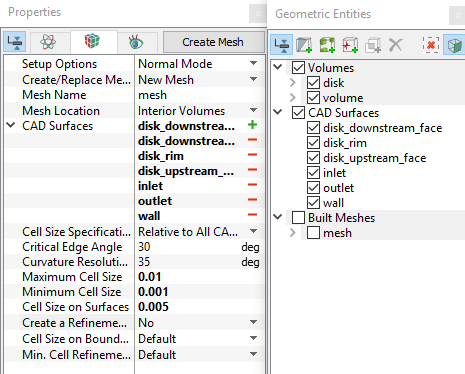
  1. Select General Mesher in the Mesh Panel.
  2. Select all CAD Surfaces in the Geometric Entities Panel.
  3. Ensure Relative to All CAD Surfaces is selected under Cell Size Specification.
  4. Enter Maximum Cell Size, Minimum Cell Size and Cell Size on Surfaces as 0.01, 0.001 and 0.005 in the Properties Panel respectively.
  5. Click Create Mesh. A new mesh mesh is created under Built Meshes in the Geometric Entities Panel.
  6. The meshed volumes volume and disk are generated under Volumes, rename volume as pipe.
 

Figure 11.77 - Create mesh

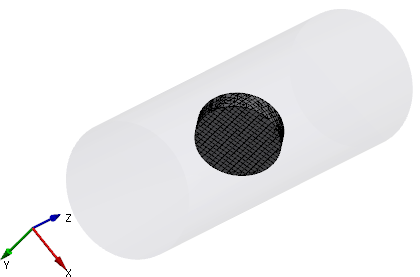
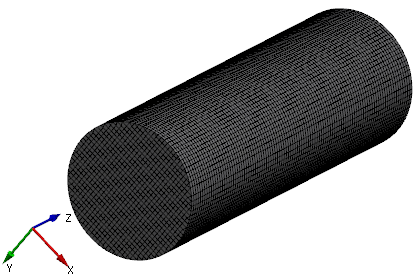
The created mesh is shown below.

Figure 11.78 - Disk mesh


Figure 11.79 - Pipe mesh


Copyright © 2023 Simerics Inc.,