Computational domain
This section explains the preparation of surfaces to create the domain. This is done with the operations splitting, combining and renaming of the surfaces.
The computational domain consists of inlet, outlet and elbow. The surface splitting operations are performed only for the elbow geometry. Inlet and Outlet volumes are created during meshing using Template Mesh/Surface.
Elbow Surfaces
- Select Split/Combine Geometry or Grid in the Mesh Panel.
- Select CAD Surfaces elbow in the Geometric Entities Panel.
- Select Split by Angle from the Operation drop-down list in the Properties Panel.
- Enter 75 deg for Angle, click Split by Angle. Three new CAD Surfaces are created in the Geometric Entities Panel.
- Rename the CAD Surfaces elbow_01, elbow_02 and elbow_03 as elbow_wall, elbow_outlet and elbow_inlet respectively .
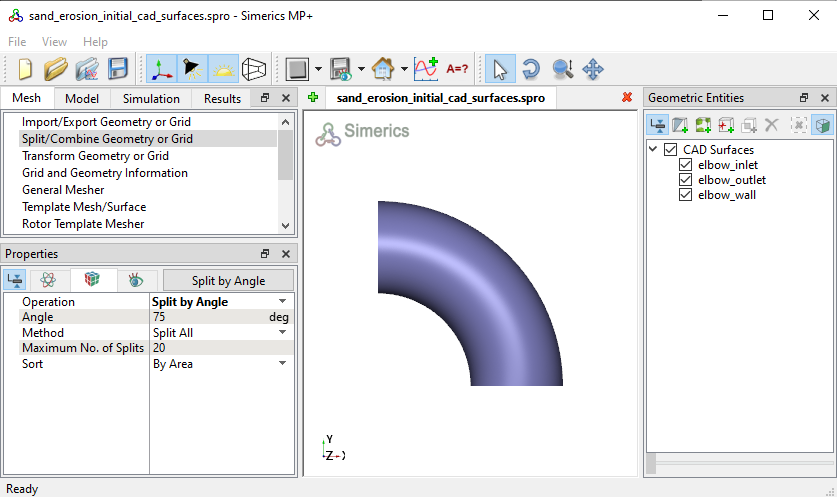
Figure 11.301 - Split of CAD surfaces
|
Note: Splitting of the surfaces can also be done by mouse selection using the Split by Mouse option from the Method drop-down list in the Geometry Tab of Properties Panel. |