11.14.3 Simulation
This section explains the settings to run the sand erosion simulation. Initially, steady state simulation is performed to develop the flow field without particles. Then, transient simulation is performed for particle erosion analysis.
Steady Simulation Settings
- In the Model Panel, ensure Flow and Turbulence are enabled and uncheck the Particle module as shown in Figure 11.314.
- In the Simulation Panel, select Steady radio button as shown in Figure 11.315.
- Enter Number of Iterations as 500 and Result Saving Frequency as 500.
- Verify that the Start from Initial Values button is selected.
- After you save the project, click Start to run the simulation.
- The result files are saved as sand_erosion_model.sres in the working folder.
|
|
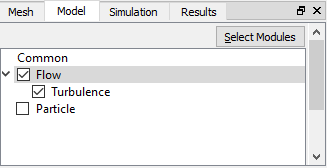 Figure 11.314 - Unchecking the Particle Module
|
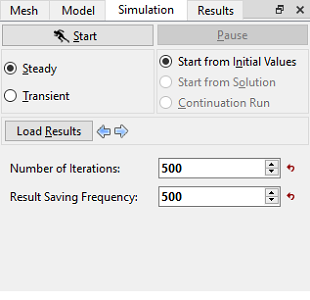
Figure 11.315 - Steady simulation settings
|
|
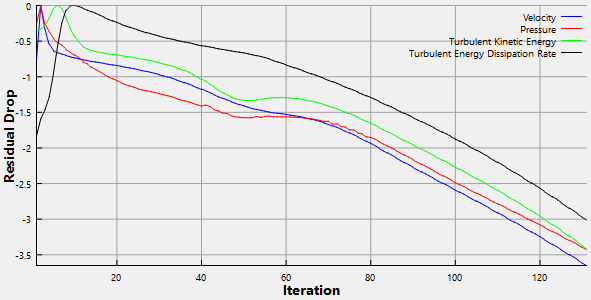
Figure 11.316 - Steady - Residual graph
|
| |
Note: For a Steady State Simulation, the result file is saved as .sres in the working folder and the same file gets overwritten at regular intervals specified by the Result Saving Frequency parameter. The final result file is written at the end of all iteration or when the solution converges. |
| | Note: The default Converge Criterion is 0.001 for Steady Simulation. When the residuals for all the variables drop by three orders or the maximum Number of Iterations reached, the calculation stops. |
Transient Simulation Settings
- In the Model Panel, deselect Flow and Turbulence model and select Particle check box.
- Click Transient radio button in the Simulation Panel as shown in Figure 11.318.
- Define Simulation Time (Duration) to 10 s and Number of Time Steps to 10000.
- Define Number of Iterations and Result Saving Frequency as 20 and 1000 respectively.
- Click Load Results to load the steady state results before running the simulation.
- After you save the project, click Start to run the simulation.
- A warning window pops-up as shown in Figure 11.319. Click No to start the simulation.
| |
Note: In the current version (5.2), the Particle module is not parallelized. So, it is required to run in Multi-thread version.
|
- The result files are saved as sand_erosion_model_1000.sres in the working folder. The number of result files depends on the Result Saving Frequency.
|
|
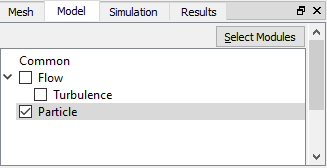 Figure 11.317 - Checking Particle module 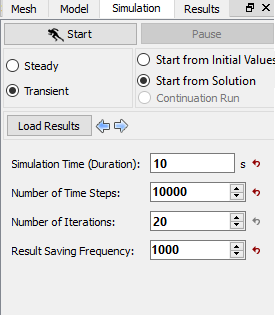 Figure 11.318 - Transient simulation settings
|
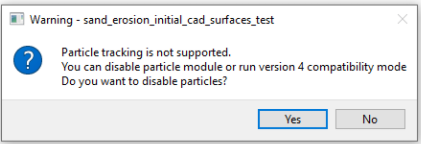
Figure 11.319 - Warning window - Particle
| |
Note: The Result Saving Frequency option in the Simulation Panel is set to a small value (say 50 or 100) before running the simulation to obtain better animations. |
| |
Note: The default Converge Criterion is 0.1 for Transient simulations. When the residuals for all the variables drop by one order or the maximum Number of Iterations is reached, the calculation proceeds to the next time-step. |