9.1.3 Simulation
This section explain the settings to run the optimization simulation.
Simulation Settings
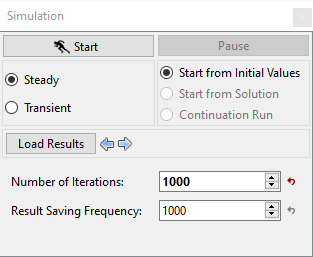
- In the Simulation Panel, select Steady radio button.
- Enter Number of Iterations and Result Saving Frequency as 1000 respectively (see, Figure 9.33).
- After you save the project, click Start to run the simulation.
- The result files are saved as .sres in the working folder (Example: " 2D_shape_optimization_model_optim60.sres"). The number of result files depends on the No of Optimization Runs.
The residuals are displayed under the Residual Tab in the Plot Panel as shown in Figure 9.34.
|
Figure 9.34 - Residual - Optimized case with least Drag Coefficient |
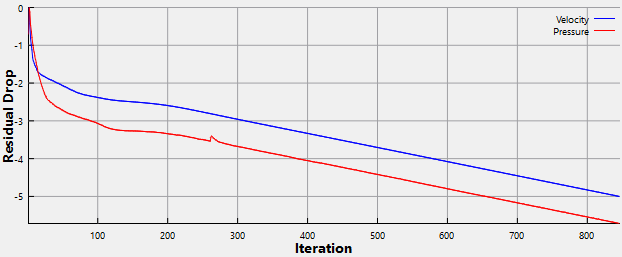
| ´ | Note: The Converge Criterion is 1e-5 for Steady-state simulations. When the residuals for all the variables drop by five order or the maximum Number of Iterations is reached, the calculation stops. |