Initial Condition
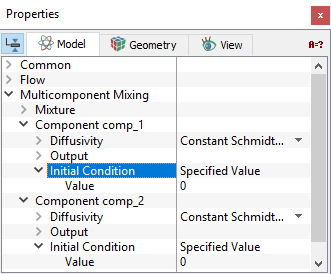
| Initial Condition refers to the values of the independent variables used to start a simulation when the Start from Initial Values is selected in the Simulation Panel. The alternative to using Initial Condition to start a simulation are Start from Solution or Continuation Run. In such cases, the Initial Condition set under the volume are not used. The initial mass fractions of the individual components are specified for each volume as follows: Geometric Entities Panel > Volumes > [Desired Volume] Properties Panel > Model Tab > Multicomponent Mixing > Component {Name of the Component} > (Initial Condition) The Specified Value for the Initial Condition allows to specify the initial mass fraction of a selected component in a selected volume. Expression Editor can also be used to set the initial Specified Value of the mass fraction. |
Figure 5.186 - Initial condition |
State
The State of a volume under Multicomponent Mixing is specified as follows:
- Geometric Entities Panel > Volumes > [Desired Volume]
-
Properties Panel > Model Tab > Multicomponent Mixing > Mixture > State > [Active] or Blanked]
Setting the State of a volume to Blanked under Multicomponent Mixing is equivalent to freezing its initial value. The State of a selected volume is independent of its state in other modules. For example, setting the Flow module to Blanked (i.e. making a volume solid) does not blank the solution of the Multicomponent Mixing module.
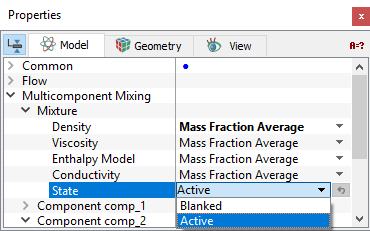
Figure 5.187 - State