|
You are here: Automotive Templates and Tutorials > Vehicle Template > Vehicle FEAF Tutorial > Simulation
|
Simulation
This section explains the settings to run the front end air flow simulation.
- Select Simulation Panel and enable Steady.
- Enter Number of Iterations as 2000 and Result Saving Frequency as 100.
- Select Start from Initial Values to start from initial run.
- After you save the project, click Start to run the simulation.
- The result files are saved as .sres in the working folder. This file is overwritten depending on the Result Saving Frequency
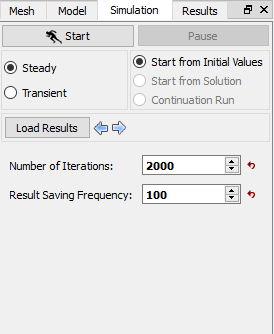
Figure 7.57 - Simulation settings |
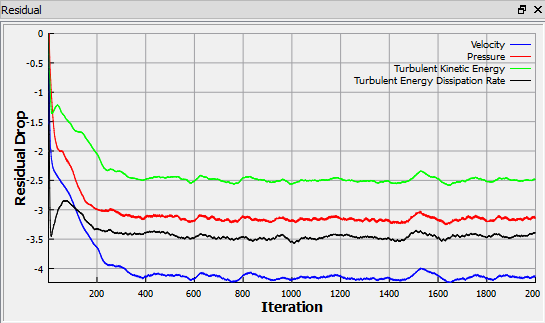
Figure 7.58 - Residuals |
| ´ | Note: The default Converge Criterion is 1e-6 for vehicle steady state simulation. |