Operating Parameters
Time Definition
This provides the following ways to specify the size and number of time steps for the general gear simulation (see Figure 6.904). In this beta version, users can only define total time steps per revolution.
Revolutions: A single revolution corresponds to a pump rotation of 360 degrees. The parameters required under this Time Definition are:
- Number of Revolutions: The number of gear revolutions to be simulated.
- Time Steps Per Revolution: The number of time steps taken for main gear to rotate 360 degrees. For a Time Definition of Revolutions, the Number of Time Steps is computed as follows:

|
Angular Velocity Definition
This contains parameters pertaining to the rotation of the main gear. The parameters defined under the Angular Velocity Definition are: Rotational Direction, Rotational Speed and Rotational Axis Vector, see Figure 6.889.
|
Note: All engaging gears must be in the same General Gear module, but non-engaging gears can be in the same module, especially if the rotational speeds of the gears are related. |
Main Gear
Choosing Yes ties the rotation direction and rotation speed to the module setting. Only one gear can be set to Main Gear.
The Angular Velocity Definition is associated to the main gear. In other words, the main gear determines the time step. Once the rotation of the main gear assigned, other gears’ rotation can be determined accordingly.
Rotational Direction
The rotation direction of the gear. It must be set correctly by the user.
Speed Ratio
The speed ratio between current gear and the Main gear, default value is computed by number of gears input by user.
Symmetric Clustering
This option clusters the gear mesh towards two axial ends symmetrically. The value 1 means a uniform axial distribution, while a larger value means more clustering towards both bottom and top ends. If different values are applied to two engaged gears, the MGI between them will be negatively impacted due to mismatched axial distribution, therefore it is recommended to keep the value same for any matching gear pairs.
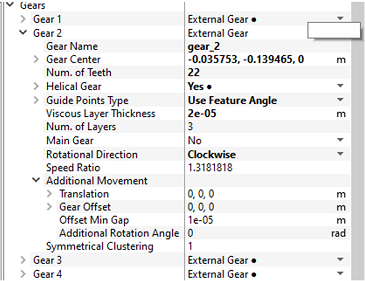
Figure 6.905 - Symmetric Clustering - Gear
Additional Movement
This group of parameters control the additional movement of the gear beyond rotating by fixed axis.
Translation
Move the gear along with its cylindrical container by the vector input by the user. The movement is in 2D, so the 3D vector is projected to 2D along the rotational axis first. Movement along axial direction is discarded.
Gear Offset
Move the gear along but NOT its cylindrical container by the vector input by the user. The movement is in 2D, so the 3D vector is projected to 2D along the rotational axis first. Movement along axial direction is discarded.
Offset Min Gap
The minimum gap allowed when gear_offset is applied. Any offset causing a smaller or even negative gap will be capped.
Additional Rotation Angle
Additional rotate angle for the gear, in addition to what is specified due to speed ratio. The final rotation speed of a (non-main) gear is defined as main_gear_speed*speed_ratio + additional_rotation_angle. This feature can be used to define rotation speed for gears with no speed relation with main gear. It can also be used to change backlash between the gears, however users must make sure the specified angle is valid.
Mesh Smoothing Options
These parameters control the mesh elliptic smoother. The smoother improves the mesh quality after the shape of the domain is solved by the mesh deformer.
Smoothing Iteration
The number of iterations to be run by the smoother in the non-engaged region.
Deform Region Multiplier
The smoother runs more iterations in the engaged/deformed region, where the outer cylinder is deformed to confirm the shape of meshing gears.
Example: A multiplier of 8 on top of base iteration of 50 means the mesh smoother runs 50 x 8 = 400 iterations in the engaged/deformed region.
Cell Growth Ratio on Gear
This parameter denotes how much change is allowed from one boundary segment to the adjacent segments. A growth ratio of 1.05 means a face/line segment on the gear boundary can be allowed to grow a maximum of 5% from the segment, which is next to it. A smaller value retains cells on the boundary more uniformed, while a larger value provides more flexibility for the cell to move around therefore generate better quality cells, however, at the risk of losing significant resolution in some areas, recommend value 1.03 to 1.2. Values must be greater than 1.
Cell Growth Ratio on Container
This only applies to the non-cylindrical parts (engaged area). In the cylindrical parts, the growth ratio is not limited.
Domain Deforming Options
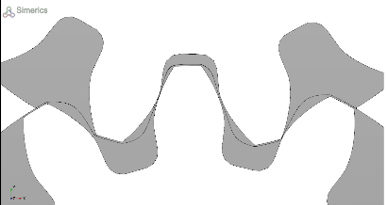
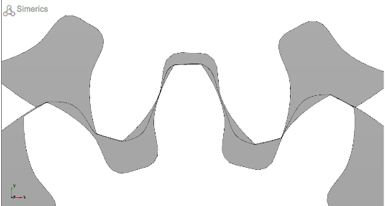
These parameters control the domain deformation solver, which solves the shape of the interface between the gears, when gears engage.
Deforming Iterations
The number of iterations to be run by the deform solver, the deform solver only runs in the engaged region.
Solver Resolution Factor
This parameter controls the resolution used by the deform solver. Default value 1 means using the same resolution as the CAD Surface of the gear. However, when the gear CAD has very low resolution, the value can be increased to get a better solution of the interface. Value lower limit is 0.5.
Profile Margin
This parameter controls how far the interface between gears can go beyond the tip of the gears. This is a percentage value based on the height of the gears. Larger value results in a smoother interface, while smaller value can help with tall gears with tight clearances. Recommended values are between 1 and 5 percent, while the default is 3%.
|
|
|
|