Boundary Conditions
|
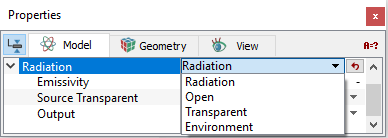
The boundary condition parameters for the Radiation module apply to Boundaries. Each boundary may be assigned a specific independent attribute. The boundary conditions and associated Radiation parameter are specified as follows: |
Figure 5.173 - Boundary conditions |
Radiation
The Emissivity can be specified for this boundary condition. An Emissivity of zero would be equivalent to a totally reflective boundary, i.e. no energy absorbed due to the incident radiation. An Emissivity of 1 would be equivalent to a fully absorbing boundary. The Source Transparent is set to No by default, meaning external “sources” do not act through the boundary.
Open
|
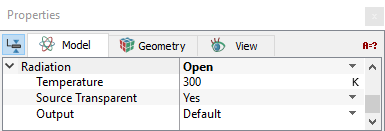
This allows free passage of radiative fluxes. This boundary acts as a transparent boundary in communication with an external temperature that is set by the user and can be different from the Global Environment Temperature. The open boundary allows radiative flux from external sources to enter the domain if Source Transparent is set to Yes. |
Figure 5.174 - Open conditions |
Transparent
Allows radiative flux to enter the domain through the boundary.
Environment
Environment omits the selected boundary from being included in the view factor calculations. In effect, it acts as an open boundary communicating with the environment at the Global Environment Temperature. This boundary condition could be modelled as an open BC with the external temperature input option set to the same value as the Global Environment Temperature.
Interface Condition
|
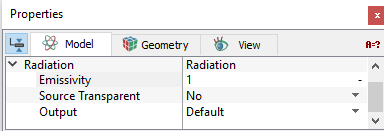
If the Volumes on the sides of an Interface are both Opaque or both Transparent, then the interface is set as a default interface and it does not influence the radiative heat transfer. If instead, the volume on one side of the Interface has been set to Opaque and the other is Transparent, the interface attributes are the same as found for a radiation boundary condition. For an Interface between opaque and transparent volumes, the attributes are set as follows:
|
Figure 5.175 - Interface conditions |
Output
The integrated quantities available as output from the Radiation module for the Boundaries and Interfaces under User Select are Area and Normal.
For wall boundaries, Radiation Flux (W/m2) is available as an output in the GUI Viewing Window.