7.1.2 Vehicle Mesher
This section explains the settings to generate the mesh, which solves the internal and external volumes of the vehicle model. The Vehicle template enables the creation of mesh with appropriate quality and minimal user effort. One of the advantages of template mesher is that there is no need to mesh each component such as the radiator, fan and vehicle separately. All volumes are meshed at once and the interfaces are created automatically. The mesh related settings are accessed as follows:
- Mesh Panel > Vehicle Template Mesher > Geometry Tab > Properties Panel
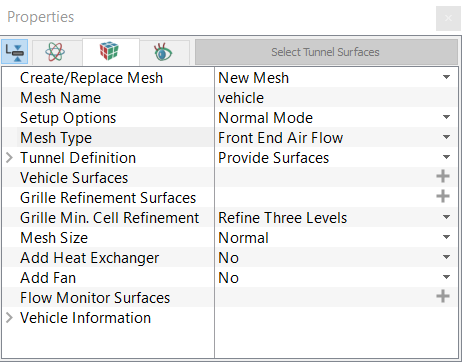
Create/Replace Mesh: Allows the user to select one of the following:
- New Mesh: To create a new mesh.
- Store Build Mesh: To store the mesh settings without generating any mesh.
- Replace: vehicle: To replace the existing mesh with new mesh settings.
Mesh Name: Allows the user to name the mesh prior to mesh creation. This option is available when New Mesh or Store Build Mesh is selected under Create/Replace Mesh.
Setup Options: Allows the user to create the mesh using one of the following modes:
- Normal Mode: This mode provides standard access to the basic parameters to create the mesh.
- Advanced Mode: This mode provides full access to all the meshing parameters to create the mesh.
|
|
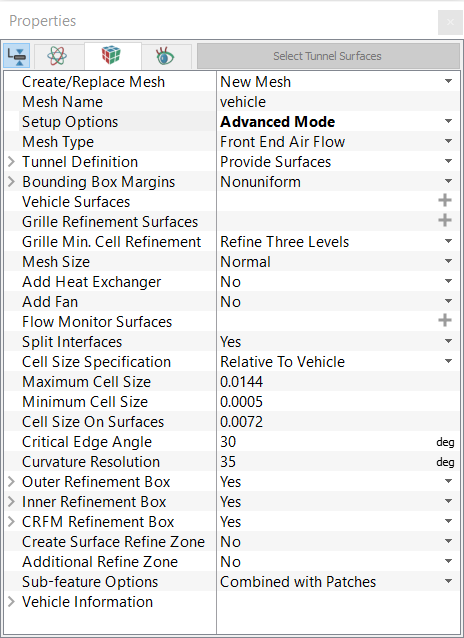
Mesh Type: Allows user to select the mesh type based on the analysis objectives:
- Front End Air Flow: This type provides access to all the meshing parameters required for front end air flow simulation.
- Underhood Thermal: This type provides access to additional meshing parameters required for performing underhood thermal simulation.
|
|
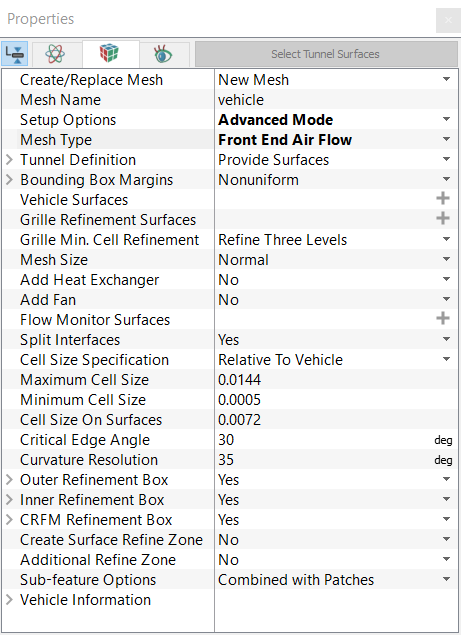
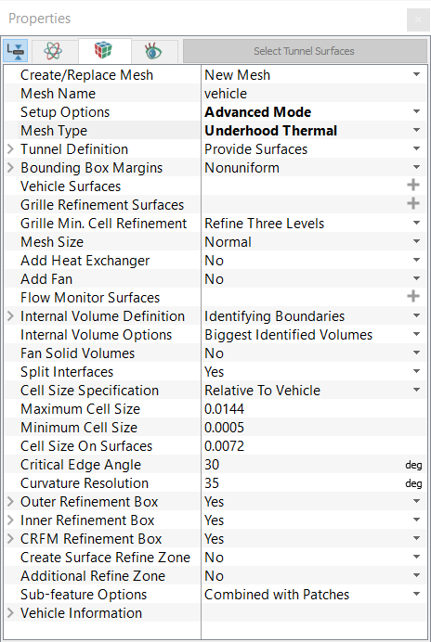
On defining the above settings, further meshing parameters are specified for:
Once the parameters for meshing are defined, click Build Vehicle Mesh in the Geometry Tab of the Properties Panel. The vehicle mesh is created and added under Built Meshes, and the corresponding Volumes are generated in the Geometric Entities Panel. Also, the Vehicle module is added to the Model Panel. If fan blades are added to the mesh, then a Fan_mrf module is added to the Model Panel.