中文 English

Refinements

The wind tunnel can be refined with the following options:

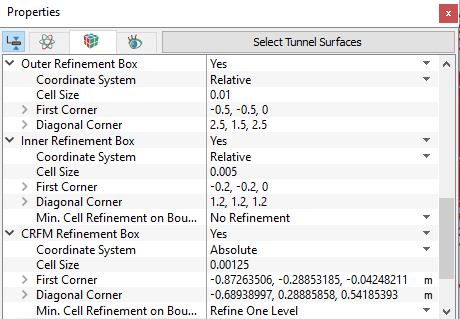
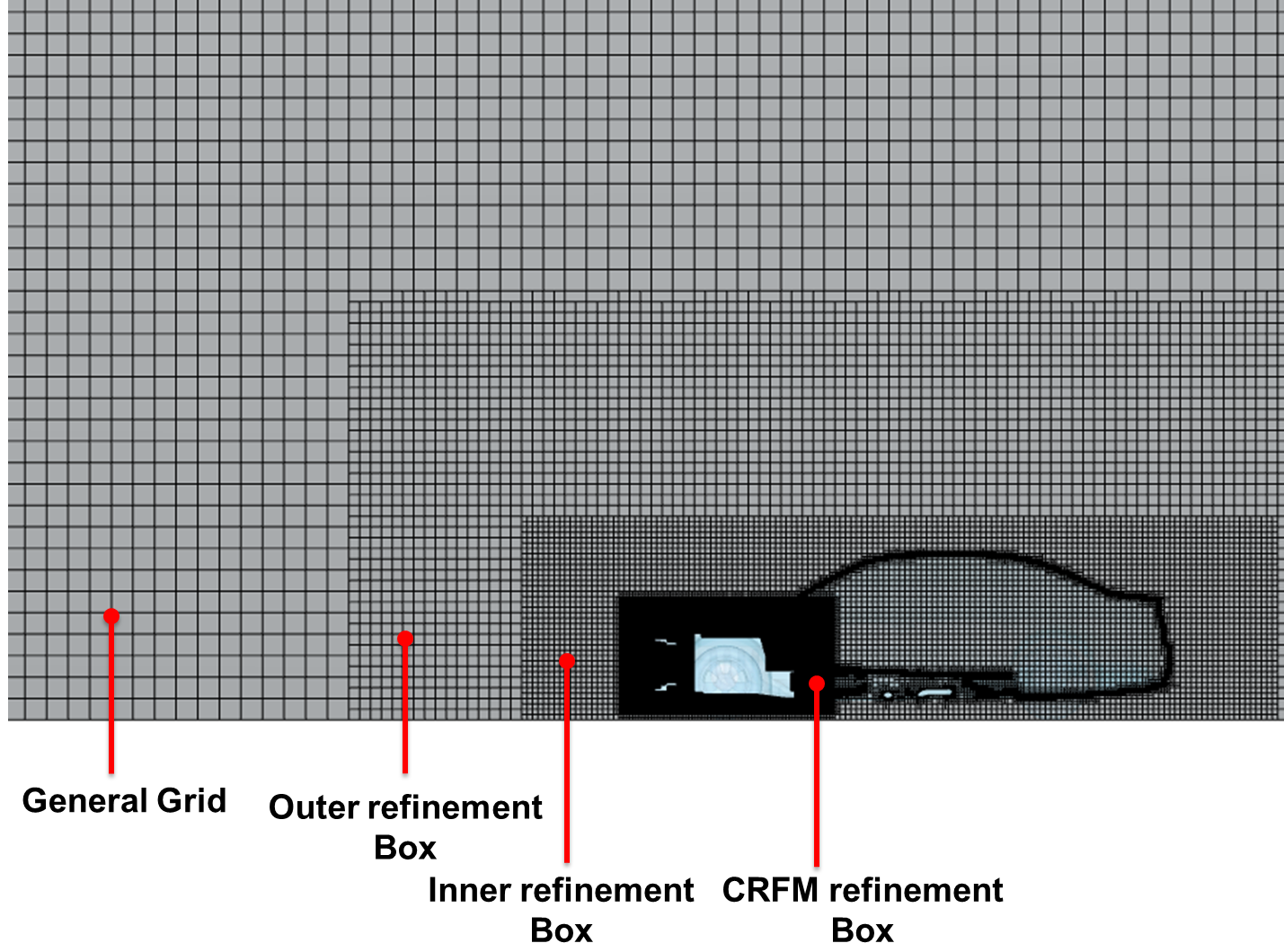
  1. Outer refinement Box: This is used to refine a specified outer region by one level as shown in Figure 7.29. The size of the rectangular box can be absolute or relative to the vehicle body, using Absolute or Relative under Coordinate System. The size of each cell can be specified under Cell Size. The diagonal points of the box are specified in terms of coordinates under First Corner and Diagonal Corner.
  2. Inner refinement Box: This is used to refine specified inner regions by one more level than the outer box as shown in Figure 7.29. All remaining options are same as explained for Outer Refinement Box.
  3. CRFM refinement Box: The condenser, radiator and fan region are refined using this option as shown in Figure 7.29.
  4. Min. Cell Refinement on Boundaries is used to provide local refinement on CAD Surfaces that present small features such as tight gaps, sharp curvature etc. This feature is available only in Inner Refinement Box and CRFM Refinement Box. Three different levels of limiting are offered under Min. Cell Refinement on Boundaries: Refine One Level, Refine Two Levels and Refine Three Levels.
  • Refine One Level:Binary-Tree Mesh decreases the minimum cell size by half for boundary surfaces within the zone.
  • Refine Two Levels: Binary tree mesh decreases the minimum cell size by four times for boundary surfaces within the zone.
  • Refine Three Levels: Binary tree mesh decreases the minimum cell size by eight times for boundary surfaces within the zone.
 

Figure 7.28 - Refinements boxes


Figure 7.29 - Refinement boxes

  • Create Surface Refine Zone: This creates a surface refinement zone after specifying Add Surface Refine Zone. A new set of parameters appear under Surface Refine Zone. Additionally, they can also be used to create a zone surrounding the surfaces where you can specify the maximum cell size and minimum cell size for the zone.
  • Surface Refine Zone: The surfaces/boundaries can be further refined using this refinement zone. Select CAD Surfaces under Geometric Entities Panel and click Add Surfaces icon. The selected boundaries can be refined by specifying the Cell Size on Boundaries and Min. Cell Refinement on Boundaries.
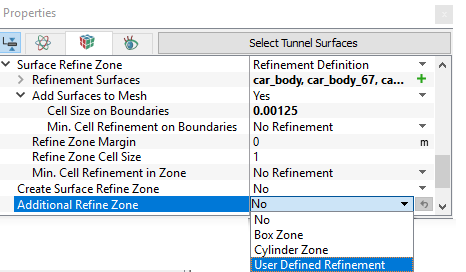
  • Additional Refine Zone: This controls the size of the mesh cells within defined zones of a volume. Any number of refinement zones can be created. Three types of zones are available: Cylinder Zone, Box Zone and User Defined Refinement.
    • Cells within a zone are subsequently based on Cell Size, which is similar in function to Maximum Cell Size.
    • Once a refinement zone is created, the desired dimensions of the zone geometry and the Cell Size is set prior to the General Mesher operation. An example of two refinement zones (Box and Cylinder).
 

Figure 7.30 - Additional Refinements

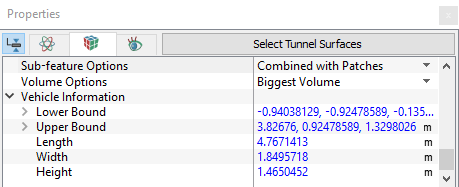
  • Sub-feature Options: Sub-features are created when the Simerics Binary-Tree Mesh algorithm is unable to resolve a feature of the geometry.

  • Volume Options: Specify the one of the following

    • Multiple Volume: Outputs all the volumes
    • Biggest Volume: Outputs only the biggest volume of all volumes

    Example: The solid of the fan blades will also be created.

  • Vehicle Information: Provide the geometric details about the vehicle such as: Lower Bound (coordinates), Upper Bound (coordinates), Length, Width and Height.
 

Figure 7.31 - Sub-feature options


Copyright © 2023 Simerics Inc.,