Leakages
This section explains the settings for specifying the leakages in the external gear chamber.
The parameters related to External Gear leakages can be accessed by setting the Setup Options to Advanced Mode.
|
Note: If the leakage has an arbitrary shape, it can be modelled using general mesher. |
Side Gap Option
The two types of side gaps are:
A) Uniform Side Gaps
Description
This creates a leakage gap with uniform thickness, whose value is specified under Side Leakage Gap.
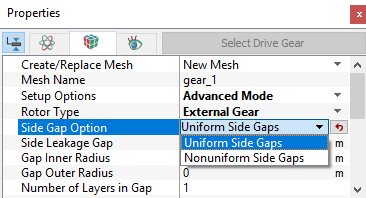
Figure 6.146 - Uniform side gap-Gear
The parameters associated with a Uniform Side Gaps are:
Side Leakage Gap
This corresponds to the height of the axial gap above and below the pumping chamber of the gear. Depending on the CAD Surfaces, the gear surfaces are either manipulated or not, to create these side leakage gaps. A non-zero value of the Side Leakage Gap will cause a leakage gap Volume to be created. The gear is shrunk on both ends to accommodate the gap, with a quarter of a cell overlap at the boundaries. Two gaps are created, each with thickness specified under Side Leakage Gap, above and below the gear volume and are automatically connected to the volume via MGIs. They must be connected to the port volumes via MGIs.
|
Note: To prevent unrealistic overlap of the gap, the original CAD geometry should have no overlap between the ports and the gears. Even the boundary of the ports should not be refined to be “too” small, i.e., not less than a quarter of the size of the gap mesh cells. |
Gap Inner Radius
This corresponds to the inner radius of the Side Leakage Gap (axial gap). This radius is taken relative to the Rotational Axis Vector. Typically this value is the radius of the shaft.
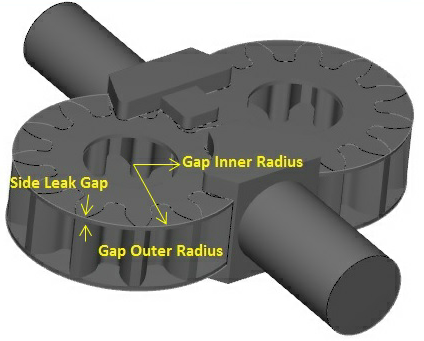
Figure 6.147 - External gear side leakage gaps
Gap Outer Radius
This corresponds to the outer radius of the Side Leakage Gap (axial gap). This radius is taken relative to the Rotational Axis Vector (see Figure 6.147). Typically this value is the radius of the outer housing.
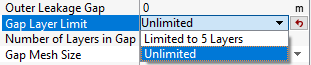
Gap Layer LimitAllows to limit number of mesh layers under Limited to 5 Layers option and allows to add more than 5 mesh layers in gaps under Unlimited option, as shown in Figure 6.148. This option gives user additional control for Number of Layers in Gap, as shown in Figure 6.148. When the Limited to 5 Layers option (the default option) is selected, user can only set up to 5 layers for Number of Layers in Gap. When Unlimited option is selected, user can set any number of layers for Number of Layers in Gap. |
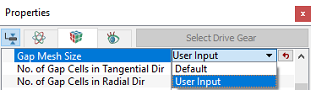
Gap Mesh SizeThis allows the user to control the mesh cell size and distribution in the Side Leakage Gap (axial gap). The Gap Mesh Size has the following options:
|
Figure 6.149 - Gap mesh size - Gear |
Gap Position
This allows to select how the Side Leakage Gap(axial gap) is inserted in between the gears and the ports. The options to specify the gap position are as follows:
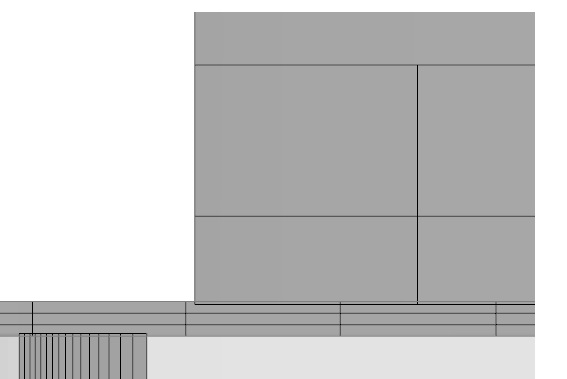
Allow Small Overlap: The gear is shrunk on both ends to accommodate the gap, with a quarter of a cell overlap at the boundaries. This is used when there is no gap between the gear and ports in the CAD.
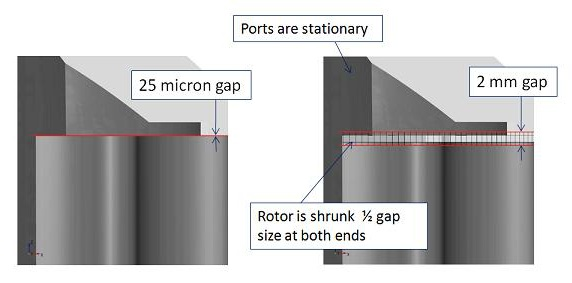
Figure 6.150 - Gap Position |
Figure 6.151 - Allow small overlap |
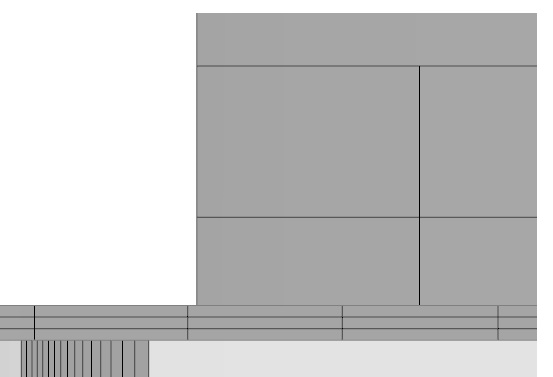
Shrink Rotor: The gear is shrunk as needed on both ends to accommodate the gap with no overlap at the boundaries. This is used when there is no gap between the gearr and ports in the CAD.
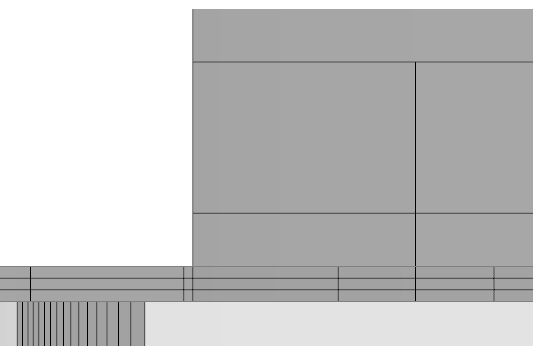
Gap Outside Rotor: The gear is not shrunk and the gap is placed between the gear and ports. This requires that space for the gap has already been created in the CAD.
|
Figure 6.152 - Shrink rotor |
Figure 6.153 - Gap outside rotor |
B) Nonuniform Side Gaps
 Description
This creates a leakage gap with nonuniform thickness, with corresponding values specified under Bottom Leakage Gap and Top Leakage Gap. The other inputs defined in Nonuniform Side Gaps i.e., Gap Inner Radius and Gap Outer Radius are same as in Uniform Side Gaps.
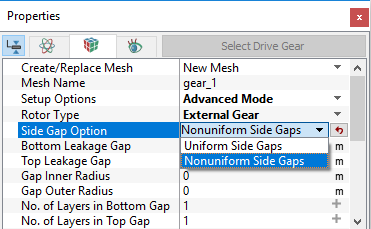
Figure 6.154 - Nonuniform side gaps-Gear
The parameters associated with a Nonuniform Side Gaps are:
Bottom Leakage Gap: Creates a leakage gap at the bottom of the gear, parallel to the Rotational Axis Vector.
Top Leakage Gap: Creates a leakage gap at the top of the gear, parallel to the Rotational Axis Vector.
No. of Layers in Bottom Gap: Controls the number of mesh layers within the Bottom Leakage Gap.
No. of Layers in Top Gap: Controls the number of mesh layers within the Top Leakage Gap.
|
Note: The number of cells in the bottom, top, inner and outer leakage gaps can have different values. |