|
You are here: Fluid Machinery Templates and Tutorials > Radial Piston Pump > Mesher > Radial Piston Meshing
|
Radial Piston Meshing
This section explains the settings for the radial piston mesh generated using the Rotor Template Mesher. This involves selection of the surfaces, directional characteristics of the mesh and other advanced mesh settings.
The parameters related to Radial Piston meshing can be accessed by setting the Setup Options to Advanced Mode, as shown in Figure 6.356
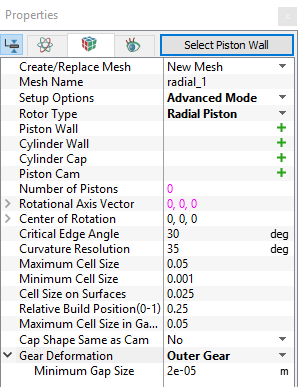
Figure 6.356 - Radial piston template mesher
Piston Wall
This is used to assign the piston surface as follows:
- Select the piston wall surface under CAD Surfaces in the Geometric Entities Panel.
-
Click Add Surfaces
 icon to the right of Piston Wall, or click Select Piston Wall in the Properties Panel.
|
Note: The Select Piston Wall operation is the first in the sequence of identifying the parts of the piston pump assembly. |
Cylinder Wall
This is used to assign the wall surface of the piston cylinder as follows:
- Select the cylinder wall surface under CAD Surfaces in Geometric Entities Panel.
-
Click Add Surfaces
icon to the right of Cylinder Wall, or click Select Cylinder Wall in the Properties Panel.
|
Note: The Select Cylinder Wall operation automatically follows the Select Piston Wall operation. |
Cylinder Cap
Cylinder cap rotates with the cylinder block, but unlike the cylinder wall or piston wall, does not include any scaling (compression) or translation. This is assigned as follows:
- Select the cylinder cap surface under CAD Surfaces in Geometric Entities Panel.
-
Click Add Surfaces
icon to the right of Cylinder Cap, or click Select Cylinder Cap in the Properties Panel.
|
Note: The Select Cylinder Cap operation automatically follows the Select Cylinder Wall operation. |
Piston Cam
This is used to assign the piston cam surface as follows:
- Select the cam surface under CAD Surfaces in Geometric Entities Panel.
-
Click Add Surfaces
icon to the right of Piston Cam, or click Select Piston Cam in the Properties Panel.
| Note: The Select Piston Cam operation automatically follows the Select Cylinder Cap operation. | |
| Note: The boundary conditions are automatically set by the template for the assigned surfaces. |
Number of Pistons
Specify the number of pistons in the pump that get created during meshing.
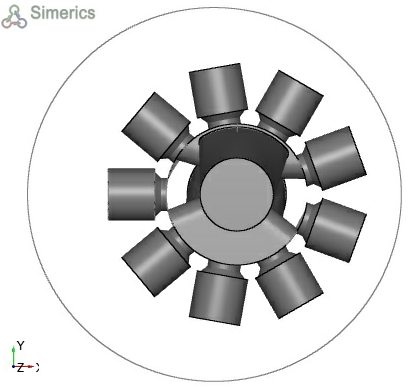
Figure 6.357 - Number of pistons
|
Note: The Number of Pistons specified during the Rotor Template Mesher operation does affect the geometry as the pistons are cloned from the a single piston assembly. This is also used in conjunction with the Time Steps Per Piston Rotation to determine the number of degrees the pistons are rotated every time-step. |
Relative Build Position (0-1)
Controls the mesh refinement in axial direction of the piston cylinder. The allowable range of values is between 0 and 1 (must be > 0). The smaller the value, the coarser the mesh, and the default value is 0.25.
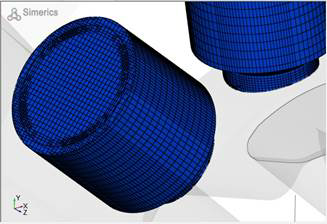
Figure 6.358 - Relative build position 0.25 (Default) |
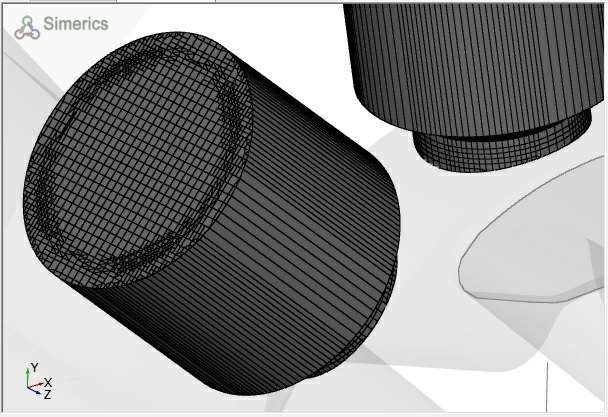
Figure 6.359 - Relative build position 0.001 |
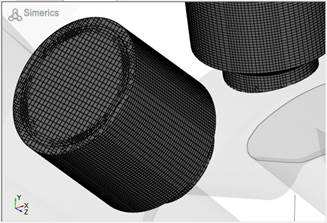
Figure 6.360 - Relative build position 1.0 |
Cap Shape Same as Cam
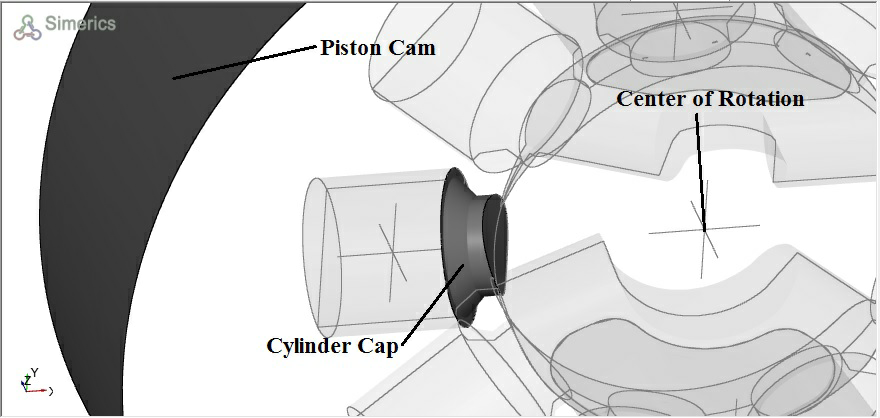
Controls whether the Cylinder Cap conforms to the Piston Cam shape. The orientation of the piston determines whether or not the Cylinder Cap shape should conform to the Piston Cam shape, i.e., if the Cylinder Cap is adjacent to the Piston Cam this option should be set to “Yes”.
For a radial piston model shown in the Figure 6.361, the pistons are oriented with the Cylinder Caps facing towards the center of rotation and away from the surrounding Cam. In this case the default setting “No” is retained.
|
|
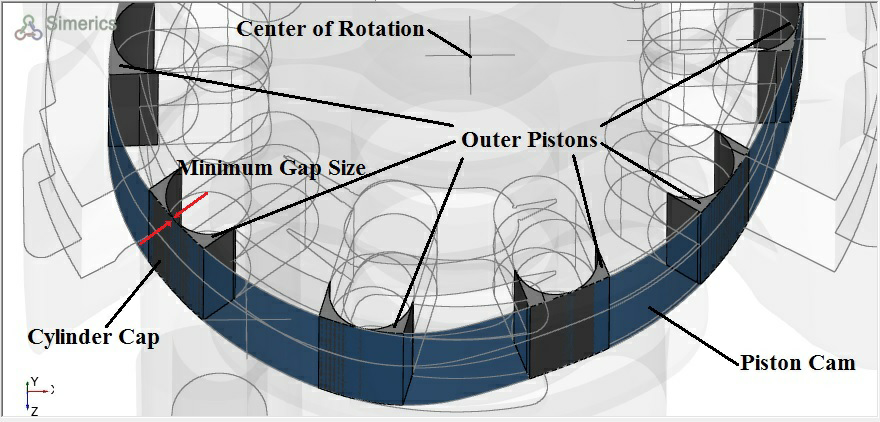
For a Rolling Vane model (Figure 6.362) the outer pistons are oriented with the Cylinder Caps facing away from the center of rotation and lying adjacent to the surrounding Piston Cam. In this case the setting should be “Yes” since the Cylinder Caps correspond to the wetted Piston Cam surface and it is necessary that the Cylinder Caps have the same shape locally as the Piston Cam.
Rotational Axis Vector
Specify the direction of the axis of rotation of the radial piston pump (see Figure 1.3) in  coordinates.
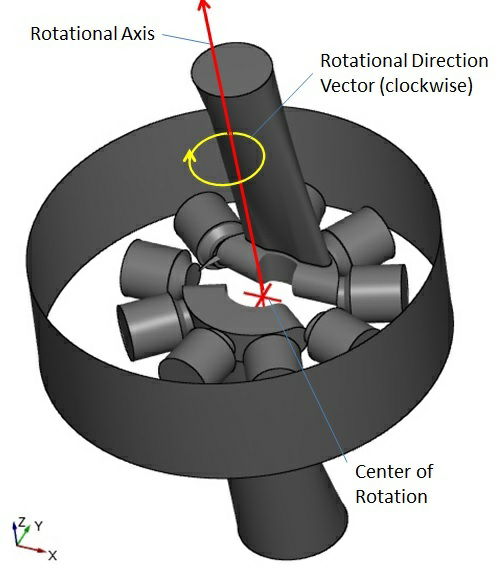
Figure 6.363 - Rotational axis vector
Center of Rotation:
The point about which the piston assembly rotates. Specify the center in  co-ordinates.
The other parameters Critical Edge Angle, Curvature Resolution, Maximum Cell Size, Minimum Cell Size and Cell Size on Surfaces are defined in General Mesher section of Panels.