2.4 File Formats
This provides information on the file types in Simerics-MP/Simerics-MP+.
2.4.1 Project File (filename.spro)
The file name for project file is filename.spro.
The operating conditions and grid file reference for a project are stored in the project file named as filename.spro (spro stands for Simerics® Project). A project file is automatically stored whenever the Save or Save As function is used from File menu. The project file can be edited via the GUI or via a text editor or script.
2.4.2 Grid File (filename.sgrd)
The file name for project file is filename.sgrd.
The grid data for a project are stored in the grid file named as filename.sgrd (sgrd stands for Simerics® Grid). This file is automatically stored whenever the project file is stored, assuming the grid has been modified.
The grid file can only be edited via the GUI and associated with a given project can be found in the project file(opened in text editor). This file with same name as the project file can be generated by modifying or “touching” a geometric entity (e.g. the name of a volume) and saving it using Save or Save As. This results in more files, but may have an advantage in terms of organizing files.
|
Note: The grid file may be shared by multiple project files. |
|
|
Note: Compatible grid and project files are the only two files needed to start or recreate a simulation. |
2.4.3 Results File
The file name for Steady-state results is filename.sres.
The file name for transient result is filename_xxxx.sres.
Results files are Simerics data files that contain the Transient or Steady results for a given project (sres stands for Simerics® Results). These contain the values of all the primary variables. In transient solutions, the “xxxx” corresponds to the time-step associated with the simulation time and contains the data associated with that time-step.
The format of these files *.sres is Simerics proprietary and may only be read by Simerics software. Results data may be output in other formats using the Additional Output Files option.
2.4.4 Output File
The iteration/convergence history is recorded in the .out file.
 Example of .out file
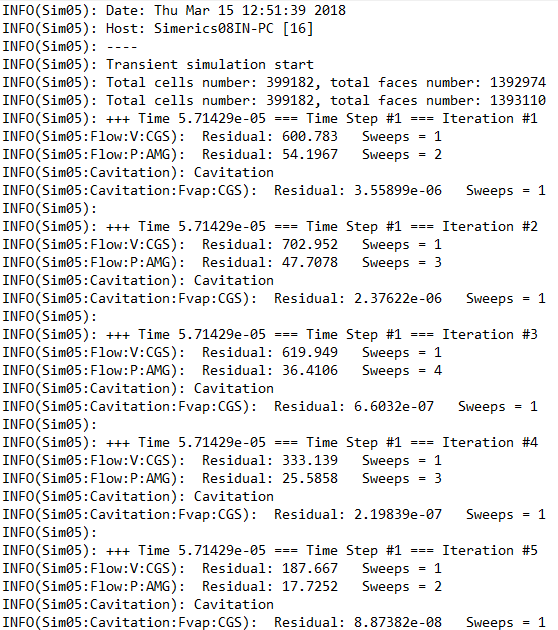
Figure 2.6 - .out file
Integrated Quantities
The file name for integrated quantities results is filename_integrals.txt.
This stores the values of the integrated quantities activated for output in each module:
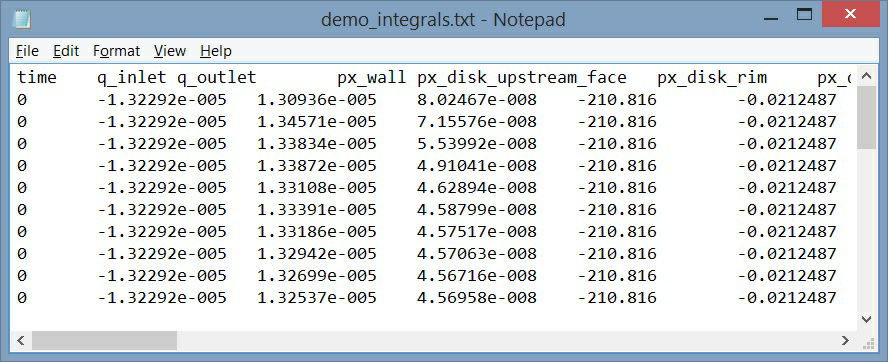
Figure 2.7 - Integrals.txt
Point Data
The file name for point data results is filename_points.txt.
This stores the values activated for output at the monitoring points.
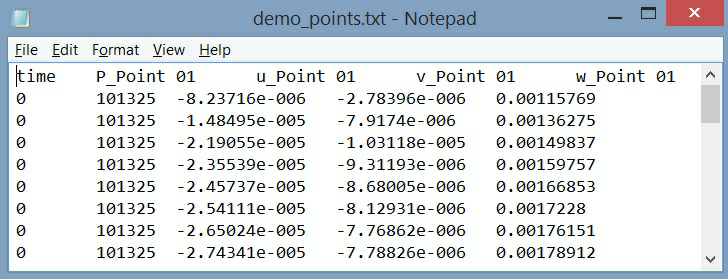
Figure 2.8 - Points.txt
2.4.5 EnSight Format
EnSight format activates the output of data files compatible with the EnSight® post processing software. To enable the output, follow the steps below:
Model Panel > Common
Properties Panel > Model Tab > Additional Output Files > Ensight Format
For Steady State Simulation, the EnSight output are: filename_ensight.case and filename_geo_ensight.data.
For Transient Simulations, the EnSight output are:
- filename_geo_1_xxxx_ensight.data
- filename_sca_1_xxxx_ensight.data
- filename_sca_2_xxxx_ensight.data
- filename_vec_1_xxxx_ensight.data
where xxxx is the time-step.
For Transient Simulations, the EnSight output is controlled by the Result Saving Frequency.
2.4.6 Store a View
The file name for storing viewing attributes is filename.sdsp.
This stores the current view in the Display Panel using the Named View Storage and can be imported into any project to obtain the same view (sdsp stands for Simerics® Display).