|
You are here: Automotive Templates and Tutorials > Automotive Tutorials > Planetary Gearbox Tutorial > Setting up the model
|
Setting up the model
This section describes step-by-step, the definition of the computational domain, mesh and the physics for the planetary gearbox simulation.
| ´ | Note: In Planetery Gearbox tutorial folder, planetary_gearbox_model.spro is available without mesh and simulation settings. For more information, refer to ReadMe text file in the respective folder. |
| ´ | Note: User can import spur gear or helical gear geometry for the planetary helical gearbox simulation, since helix angle/rotation angle in the rotor template determines the helix angle during the meshing irrespective of the CAD Surfaces. |
Importing the Geometry
The first step is to import the initial or prepared CAD Surfaces.
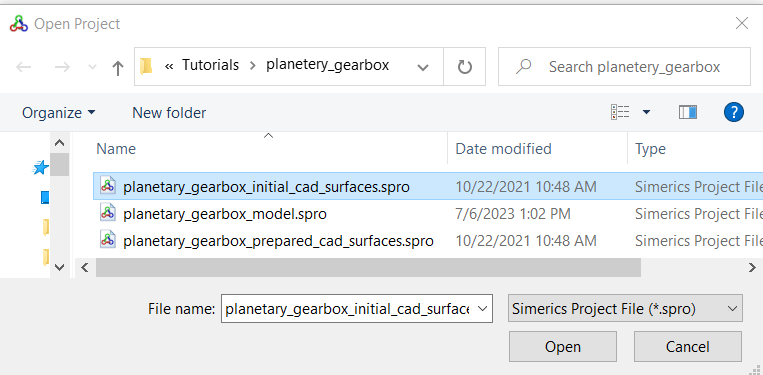
- Planetary gearbox consists of several components, such as sun gear, three planet gears, ring gear, carrier, cavity and housing. User must split multiple surfaces to assign boundary conditions and create interfaces, as explained in the Computational domain. Follow the steps below by importing initial CAD Surfaces, as shown in Figure 7.173.
-
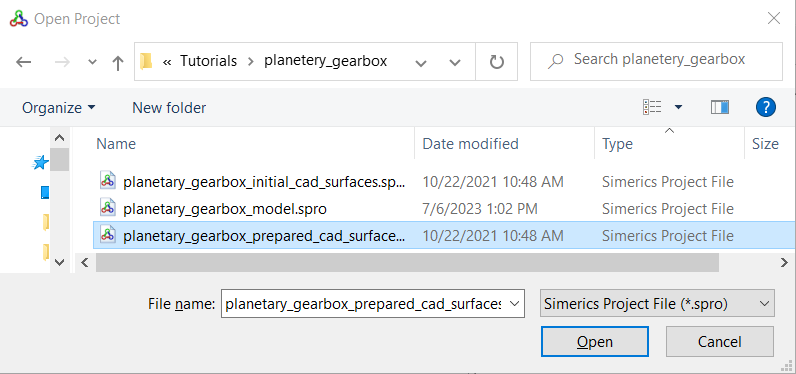
If user wants to skip the Computational domain preparation, directly import the prepared CAD Surfaces, as shown in the Figure 7.174. Then, user can start from Building the Mesh.
The first step is to import the geometry or surfaces.
- Select File > Open.
- The file planetary_gearbox_initial_cad_surfaces.spro or planetary_gearbox_prepared_cad_surfaces.spro is selected from the working directory in the Open Project dialog box, click Open.
| Note: To import .STL file refer to Import/Export Geometry or Grid. |
The steps involved in setting up the model are:
- Computational Domain: In the case of a planetary gearbox simulation, the computational domain is the internal fluid domain of the planetary gearbox system.
- Building the Mesh: Once the domain is selected, a grid of sufficient resolution is created to solve the flow.
- Defining Physics & Conditions: Defining the physics and the conditions for the problem.