|
You are here: Simerics MP/MP+ Interface
|
3 - Simerics MP/MP+ Interface
Simerics-MP/Simerics-MP+ Graphical User Interface (GUI) is made up of a Menu bar to access the menus, a toolbar with sub-toolbars to perform different basic functions, and multiple panels for the Pre-Processing, solver settings and Post Processing. This section explains the graphical interface as follows:
|
The GUI, Toolbar and different panels are: |
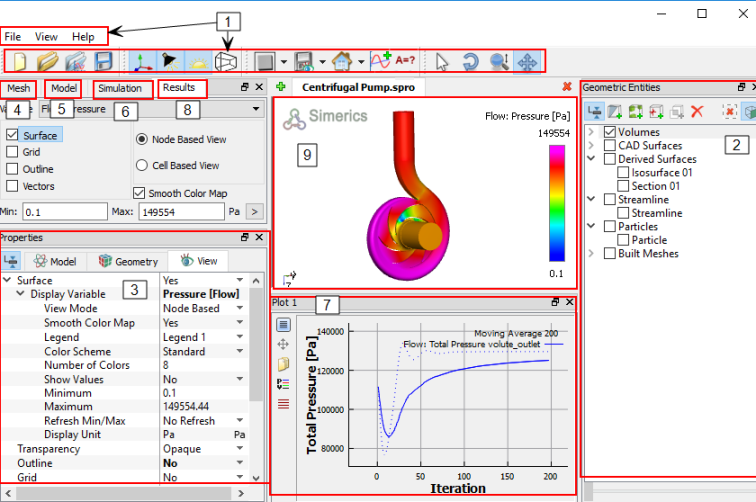
Figure 3.1 - Menus and Toolbars |
|
Note: Any panel can be moved and positioned anywhere in the display window. Double click the panels to move them back to their original positions. |